- Home
- Posts
- 11 Best Publishing Platforms for Creators (And What Each Is Best For)
11 Best Publishing Platforms for Creators (And What Each Is Best For)
How To Choose the Right Publishing Platform To Support Your Long-Term Goals

Kawusara Salley
October 01, 2026

This article was updated in October 2026 for accuracy and relevancy.
What opportunities are you missing because your publishing platform for creators was not built for how creators publish in 2026?
I’ve seen creators and media brands like Milk Road, Inverse Cramer, and Growth Catalyst Club grow to hundreds of thousands of readers, scale to multiple six figures in annual revenue, and even get acquired.
No, it wasn’t luck. Choosing the right publishing platform was the foundation of their success.
I’ve also seen the opposite.
Creators are burning through budgets on the wrong platforms. Paying extra just to unlock basic features. Struggling to earn consistently from their content. Losing hours every week to clunky workflows that were not designed for how creators actually publish, grow, and earn.
I’ve been there. I published a few posts and then lost all momentum. It felt like driving into a road full of potholes until the tires gave out, and I never even reached my destination.
My goal is to help you avoid that path. Here’s what I’ve found works for most successful creators today: they pick a simple platform that contains all their publishing, growth, and earning tools in one place.
This guide breaks down the top publishing platforms for creators that let you do exactly that.
Why Trust Me?
I am passionate about researching and writing about tools that help creators and businesses grow. This list is the result of my personal experience with these publishing platforms and hours spent comparing their features and user feedback.
Table of Contents
Best Publishing Platforms for Creators
1. beehiiv: Best for Creators Who Want an All-In-One Publishing Platform To Grow and Earn
2. Substack: Best for Creators Getting Started With a $0 Budget
3. Ghost: Best for Creators Looking for an Open-Source Publishing Platform
4. WordPress: Best for Creators Who Want In-Depth Customization
5. Medium: Best for Creators Looking To Build a Writing Portfolio
6. Kit: Best for Established Creators Who Want To Maximize Sales via Emails
7. Flodesk: Best for Creators Who Want To Send Aesthetic Promotional Emails
8. Patreon: Best for Big Creators Who Want To Connect With Loyal Fans
9. Ko-Fi: Best for Small Creators Who Want Tips and Memberships With Lower Fees
10. Gumroad: Best for Creators Experimenting With Digital Product Ideas
11. Skillshare: Best for Creators Who Want To Publish Courses
What You Should Look for in a Publishing Platform for Creators
Best Publishing Platforms for Creators
Here’s a summary of my top publishing platforms for creators:
Website | Publishing options | Built-in discovery options | Earning options | Pricing plans | Commission on sales | |
beehiiv | Custom | Blogs Emails Digital products | SEO Paid recommendations Referrals Free recommendations | Ads Paid recommendations Memberships Sponsorships Digital product sales | Free plan; plans start at $49/month | 0% |
Substack | Basic | Blogs Emails | SEO Recommendations Reader community | Memberships | Free | 10% |
Ghost | Custom | Blogs Emails | SEO | Memberships | Free; plans start at $18/month | 0% |
WordPress | Custom | Blogs Emails Digital products | SEO | Ads Memberships Digital product sales | Free; but you’ll need to pay at least $100/year to run it | 0% |
Medium | Basic | Blogs | SEO Reader community | Monthly royalties | Free | Deducted from monthly royalties |
Kit | Basic | Emails Digital products | Recommendations | Tips Memberships Digital product sales | Free plan; plans start at $33/month | 3.5% + $0.30 |
Flodesk | Basic | Emails Digital products | ❌ | Memberships Digital product sales | Free plan; plans start at $25/month | 0% |
Patreon | Basic | Blogs Emails Digital products | ❌ | Tips Memberships Digital product sales | Free | 10% |
Ko-Fi | Basic | Blogs Digital products | ❌ | Tips Memberships Digital product sales | Free | 5% |
Gumroad | Basic | Emails Digital products | Gumroad Discover | Tips Memberships Digital product sales | Free | 10% + $0.50 |
Skillshare | ❌ | Digital products | Creative community | Monthly royalties | Free | Deducted from monthly royalties |
1. beehiiv: Best for Creators Who Want an All-In-One Publishing Platform To Grow and Earn
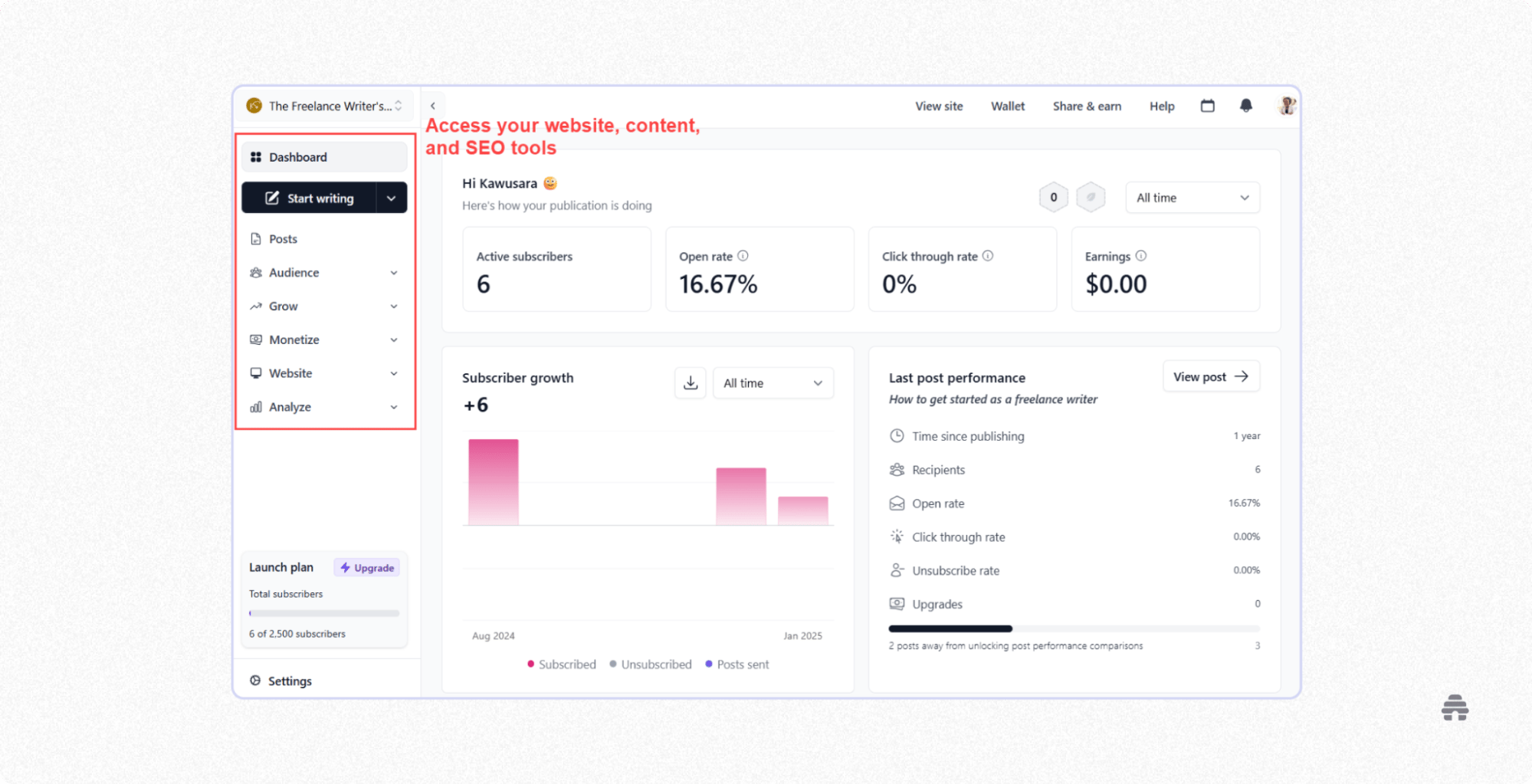
beehiiv lets you publish your website, newsletters, blog posts, and digital products all in one place. So there’s no need to buy multiple tools and stitch them together with complex integrations and APIs.
The result? Lower costs and more time to focus on what actually matters: writing great content and growing your audience. This is how the big media pub, LA Mag, saved $32,000 annually and improved reader engagement by switching to beehiiv.
All-in-one tools often get a bad reputation for being clunky and hard to use, but it’s not the case with beehiiv. You can create an account, log into your dashboard, and get comfortable with the entire interface in 10 minutes or less.
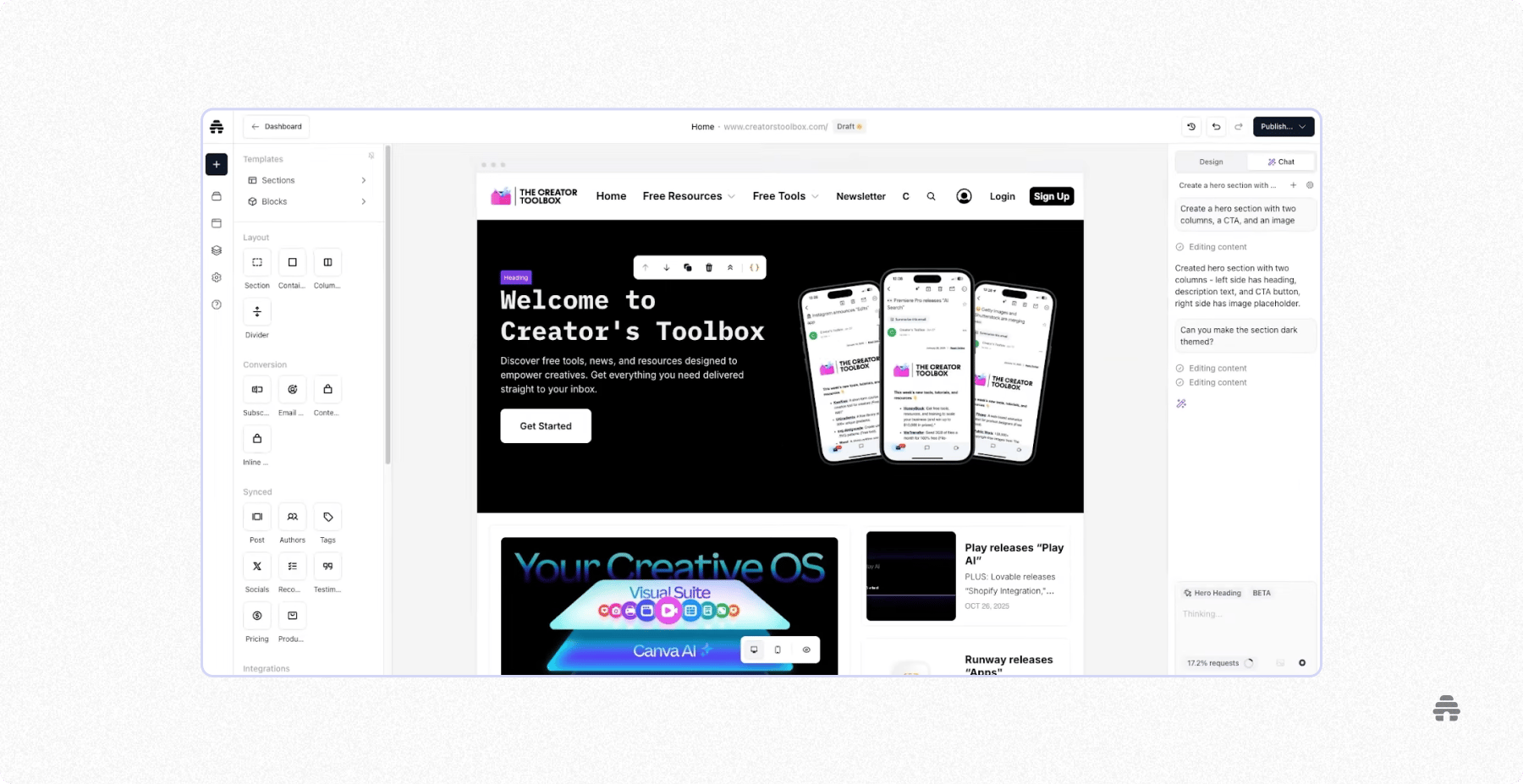
With beehiiv’s AI website builder, launching a custom website takes almost no effort. Simply tell the AI what you want, and it grants your wishes like a genie in a bottle.
And if you’re not satisfied with its initial output, you can make manual tweaks with the builder’s drag-and-drop elements or continue your chat with the AI to get you to your dreamland.
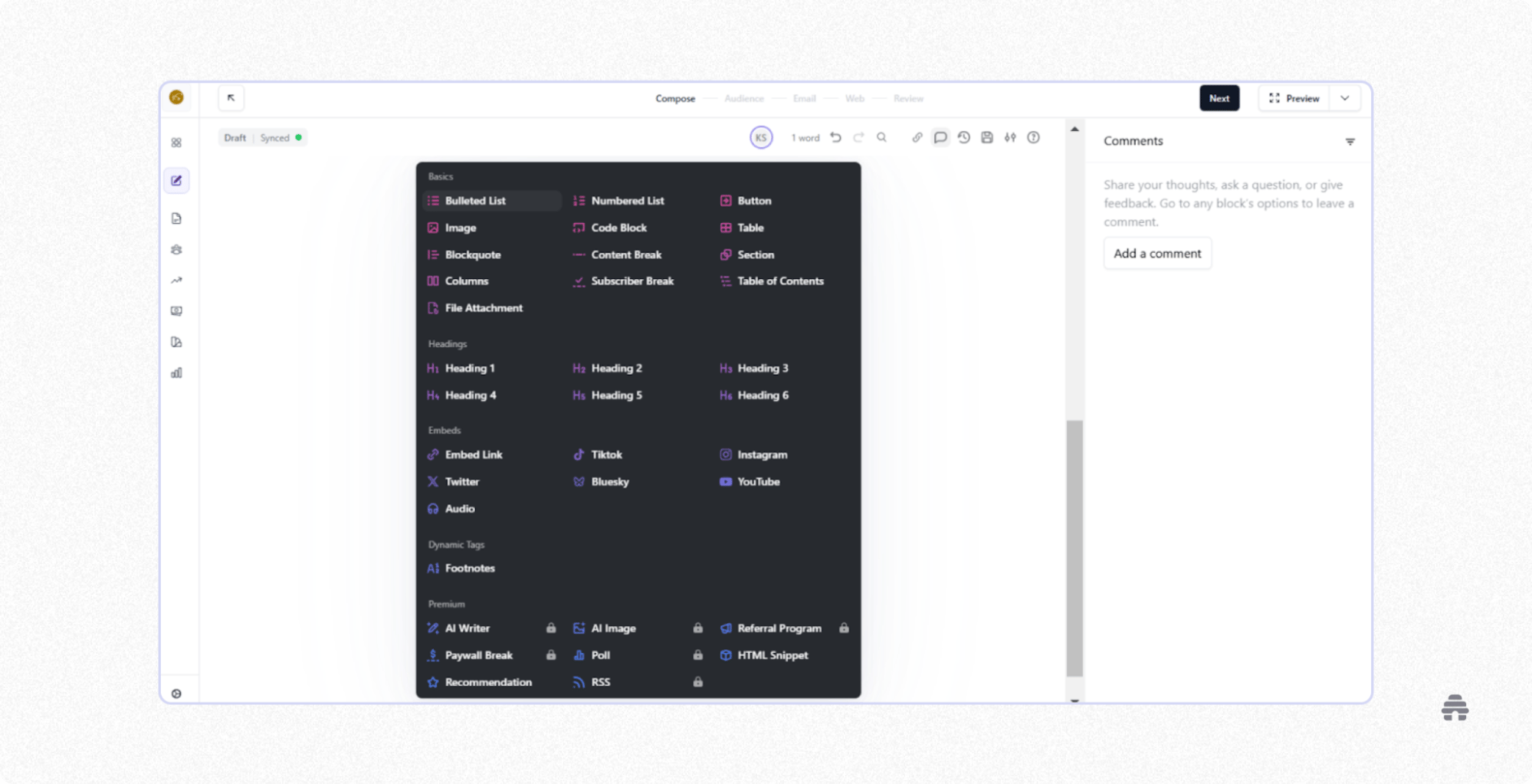
My favorite place to be in beehiiv is inside its editor.
The minimalist layout helps you stay focused on writing, with built-in collaboration for your team. You can easily drop in images, videos, documents, social media posts, and polls to make your content more engaging. When you’re ready, you can publish your content as a newsletter, an SEO-optimized blog post, or both.
When TechCrunch switched to beehiiv, this setup helped their editorial team speed up content production without developer support and attract new readers.
If you’re looking to earn from your content, you can specify whether each content will be available to everyone or only to those who joined your paid membership.
SEO and memberships aren’t the only channels to grow and earn on beehiiv.
Publications like The Underdog used beehiiv's paid recommendations to bring in over 2,000 highly engaged subscribers. Meanwhile, beehiiv’s referral system helped The Brink grow to 14,000 subscribers shortly after launch.
Others, like The Decade Investor and The Center Square, earn steady passive income through beehiiv’s ad network, paid recommendations marketplace, sponsorships, and digital product sales.
The founder of Bogey Bois sums up beehiiv perfectly: “beehiiv lowers the barrier to entry. It’s the number one platform for any creator.”
beehiiv Pros
Manage multiple publications under one account
Keep 100% of your earnings on the platform
Built-in segmentation and automation for launching promotional campaigns
A comprehensive analytics dashboard to track website traffic, subscriber growth, content performance, and revenue
beehiiv Cons
Lacks social interaction features like chats and DMs
beehiiv Pricing
beehiiv’s free plan lets you access all its publishing features and grow to 2,500 subscribers. Paid plans start at $49/month for Lite and $95/month for Pro, both billed annually at 1,000 subscribers.
2. Substack: Best for Creators Getting Started With a $0 Budget
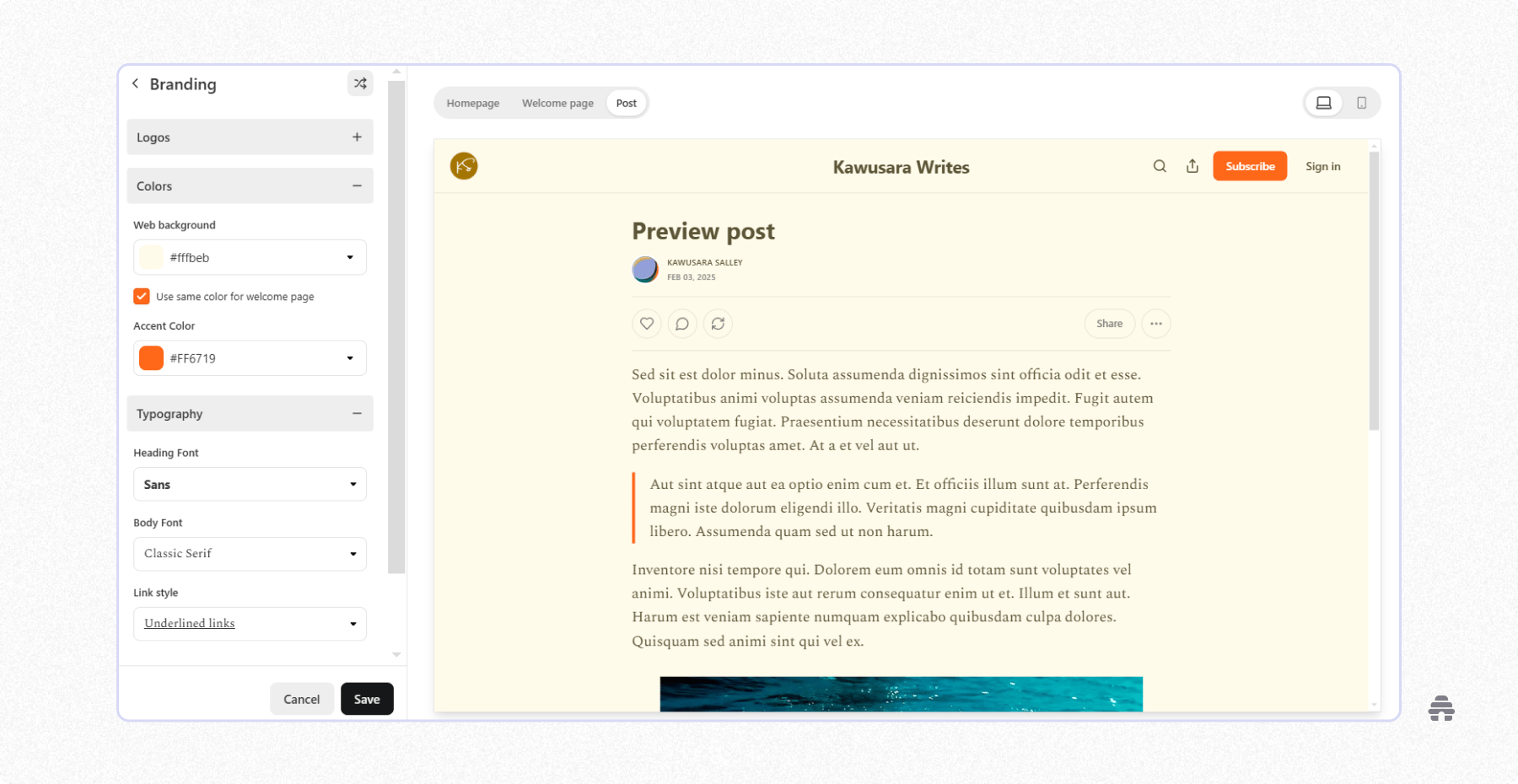
Substack is one of the simplest publishing platforms for creators. Like beehiiv, you can publish newsletters and blog posts from the same editor and decide whether each post is free or reserved for paid subscribers.
However, it doesn’t support content collaboration, and the only way to earn is through paid memberships. You also get a simple website to host your content, but customization is limited, so many Substack sites end up looking the same.
That said, Subtack is completely free to use; you only pay when you start earning.
Substack Pros
Create unlimited publications under one account
Track newsletter growth and performance with Substack’s analytics
Tap into Substack’s built-in reader community to grow your audience faster
Build stronger relationships with readers and other creators through chat, discussion threads, and Notes
Substack Cons
No support for publishing digital products
Lacks email segmentation and automation tools
Commission fees grow significantly with your paid subscribers
Substack Pricing
It’s free. However, you’ll pay 10% of your income to Substack.
3. Ghost: Best for Creators Looking for an Open-Source Publishing Platform
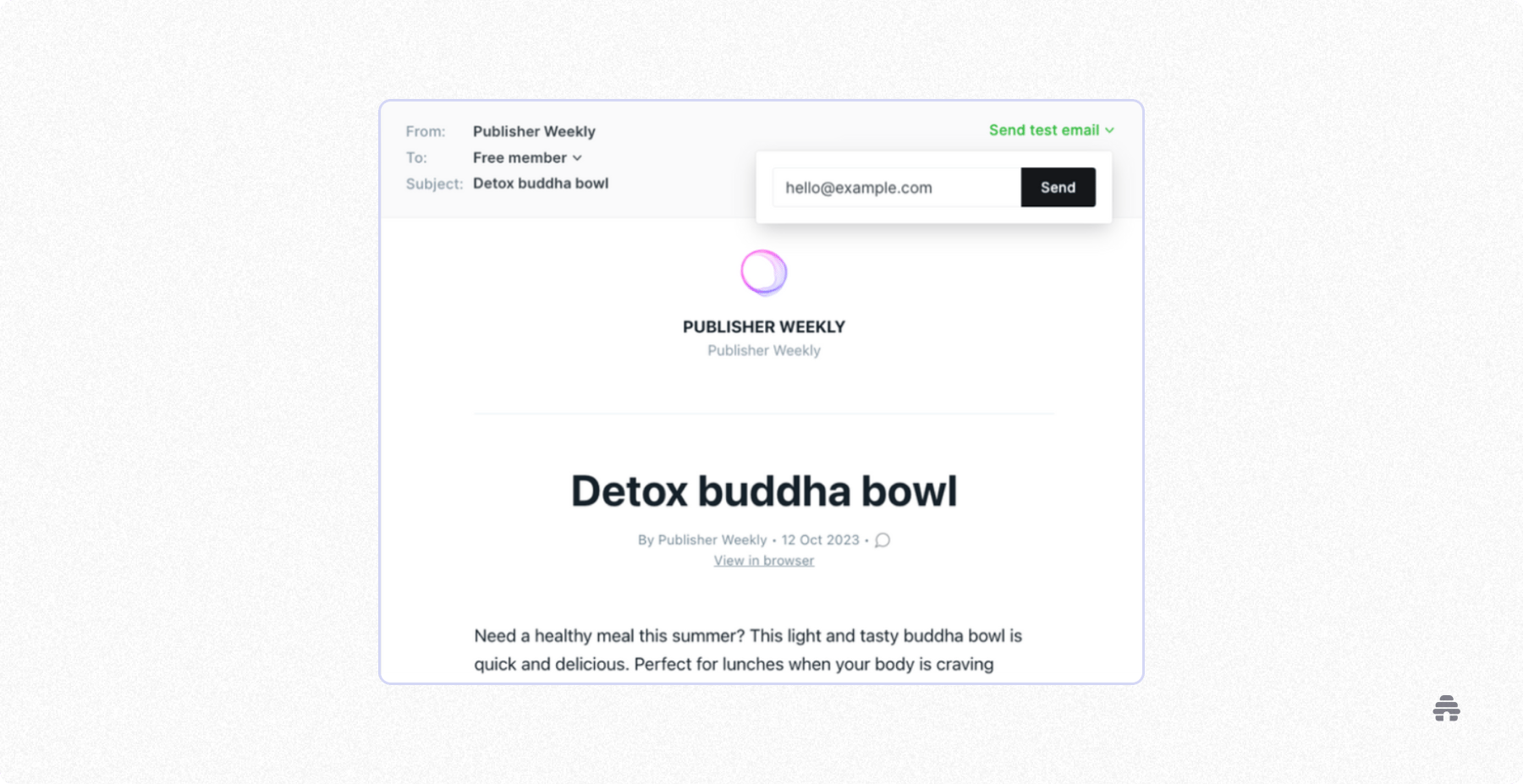
Ghost also has very similar features to beehiiv. You can build a custom website, publish blog posts and newsletters, and use on-page SEO features to help your content rank in search.
However, I found that it doesn’t have advanced email segmentation and automation for sending welcome sequences, re-engagement emails, and promotions. Plus, you can only earn through paid memberships. Running ads requires adding custom HTML from third-party tools like Google AdSense.
On the plus side, Ghost gives you hosting flexibility: you can either use its free open-source version or choose Ghost Pro if you don’t want to handle any technical setup.
Ghost Pros
Build custom websites and newsletters
Access basic website and newsletter analytics
Keep 100 percent of your membership earnings
Ghost Cons
Lacks built-in discovery tools
Limited to one publication per Ghost account
No native support for ads or selling digital products
Ghost Pricing
Ghost doesn’t have a free plan, but all plans come with a 14-day free trial. Plans start at $18/month and $35/month for 1,000 subscribers.
4. WordPress: Best for Creators Who Want In-Depth Customization
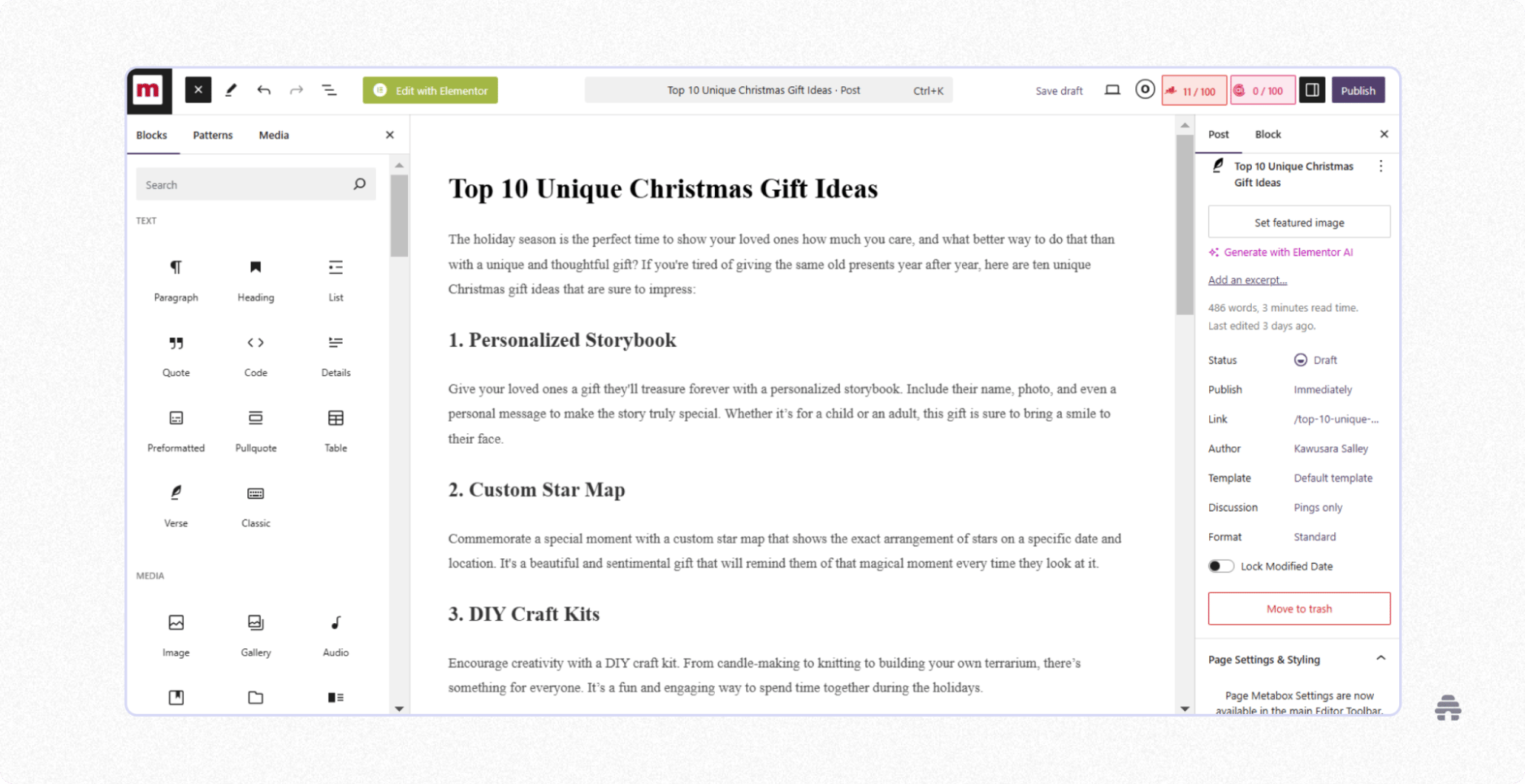
WordPress, specifically WordPress.org, is an open-source blogging platform. While the software itself is free, you will need to pay for hosting, an SSL certificate, and a custom domain to run your site.
One of WordPress’s biggest strengths is its massive plugin library. These plugins give you unlimited control over your site’s appearance and functionality.
You can install plugins to design custom websites, publish emails, access SEO tools, add memberships and ecommerce features, display paid ads, or even accept donations directly from your site.
This flexibility comes with trade-offs: plugins increase the cost and complexity of running your WordPress site. Plus, you need to be on top of running regular plugin updates, otherwise you risk site downtime and security issues.
WordPress Pros
Learn from a huge and active WordPress community
Choose from thousands of themes and templates to customize your website
Access plugins that support the complex SEO needs of large websites
WordPress Cons
You are responsible for site security, updates, and backups
Steep learning curve for non-techies
No dedicated customer support
WordPress Pricing
WordPress is free to use, but purchasing the tools to run and customize it can cost as little as $100/year to over thousands of dollars.
5. Medium: Best for Creators Looking To Build a Writing Portfolio
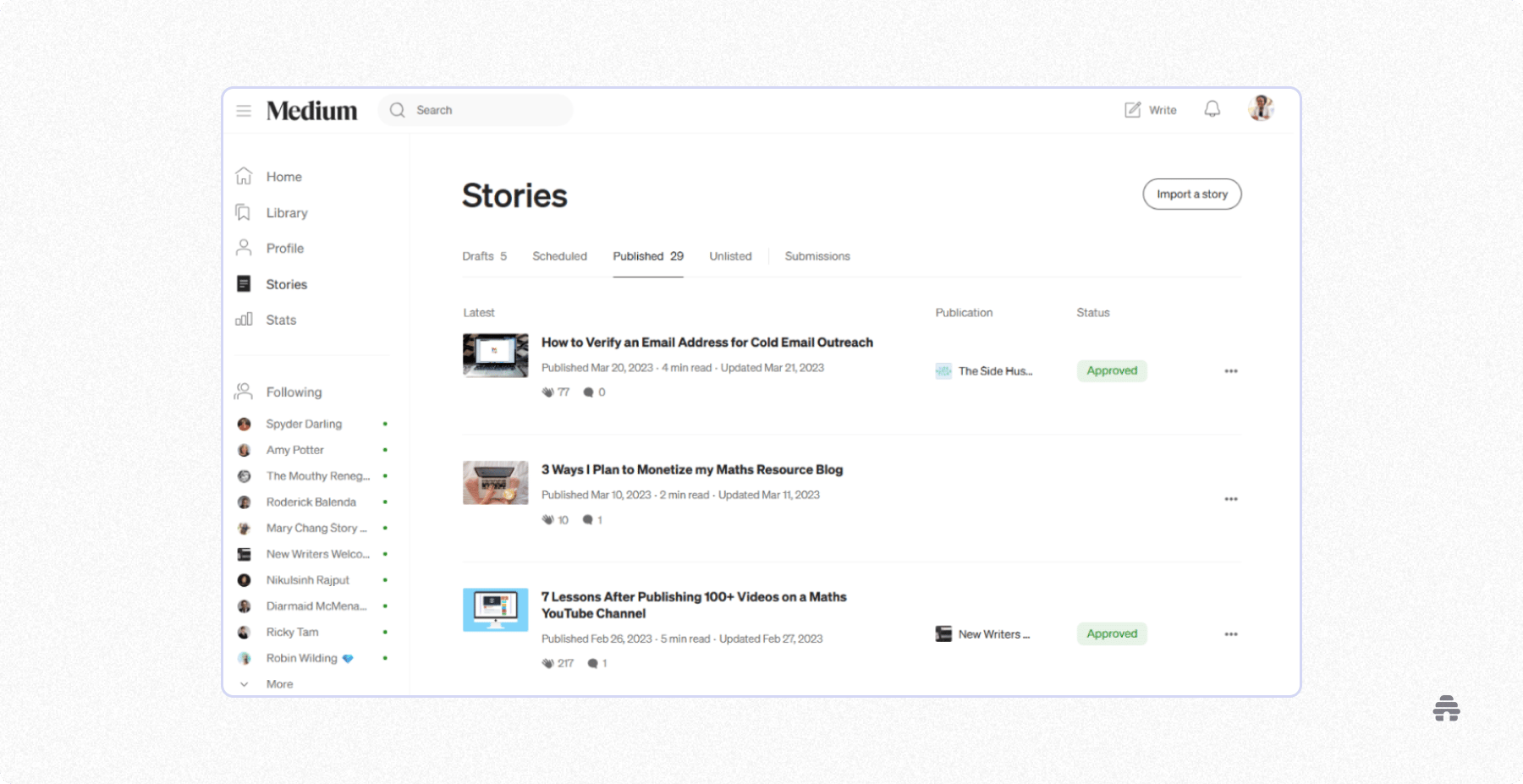
Medium has been around longer than Substack and beehiiv, and was the go-to creator publishing platform for those who didn't want to deal with WordPress’s complexity. Like Substack, Medium is free, easy to use, and comes with a built-in reader community.
But here’s the thing: the only way to earn is through the Medium Partner Program. When you join, you can paywall your content and earn based on the number of paid Medium members who engage with it. As a result, earning a consistent income usually requires publishing multiple viral posts.
Getting to this point takes time. This is why most creators use Medium to build their personal brand, showcase their writing portfolio (it’s how I kickstarted my freelance writing career), and connect with like-minded people.
Medium Pros
Engage with readers through article comment sections
See basic performance stats like views, reads, and engagement
Build visibility quickly by publishing in established Medium publications
Medium Cons
Limited growth and earning options
The Medium Partner Program is only available in some countries
Medium Pricing
It’s free.
6. Kit: Best for Established Creators Who Want To Maximize Sales via Emails
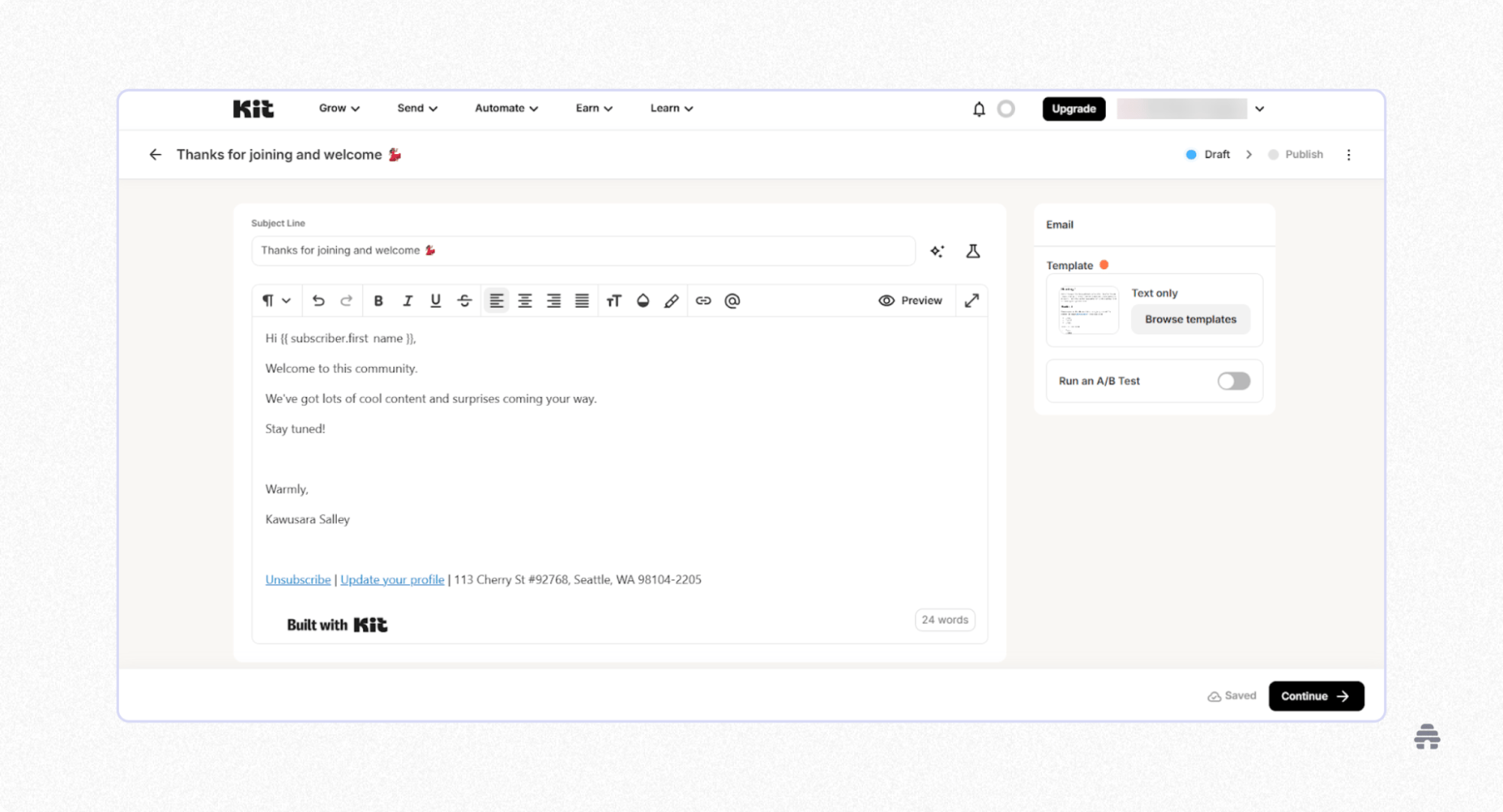
Kit is a publishing platform for creators who sell products and services through email. It’s easy to use, has a generous free plan, and includes ready-made templates for emails, landing pages, and automations. I call it the “Mailchimp for creators.”
Recently, Kit expanded beyond emails. You can now publish your emails as blog posts, host digital products, and run paid memberships. That said, it still lacks strong SEO features compared to platforms like beehiiv and Ghost.
Plus, paid memberships also come with some limitations. You need at least 10,000 active subscribers to get started, and Kit takes a percentage of your earnings from the platform.
Kit Pros
Publish emails faster with its simple editor
Advanced segmentation and automation tools for sending personalized email campaigns
Integrates with 100+ courses, membership, scheduling, and lead capture platforms
Kit Cons
Lacks extensive growth and earning tools
It’s not ideal for publishing SEO blog posts
Kit Pricing
Kit offers a free plan with unlimited emails for up to 10,000 subscribers. Paid plans start at $33/month and $66/month for 1,000 subscribers.
7. Flodesk: Best for Creators Who Want To Send Aesthetic Promotional Emails
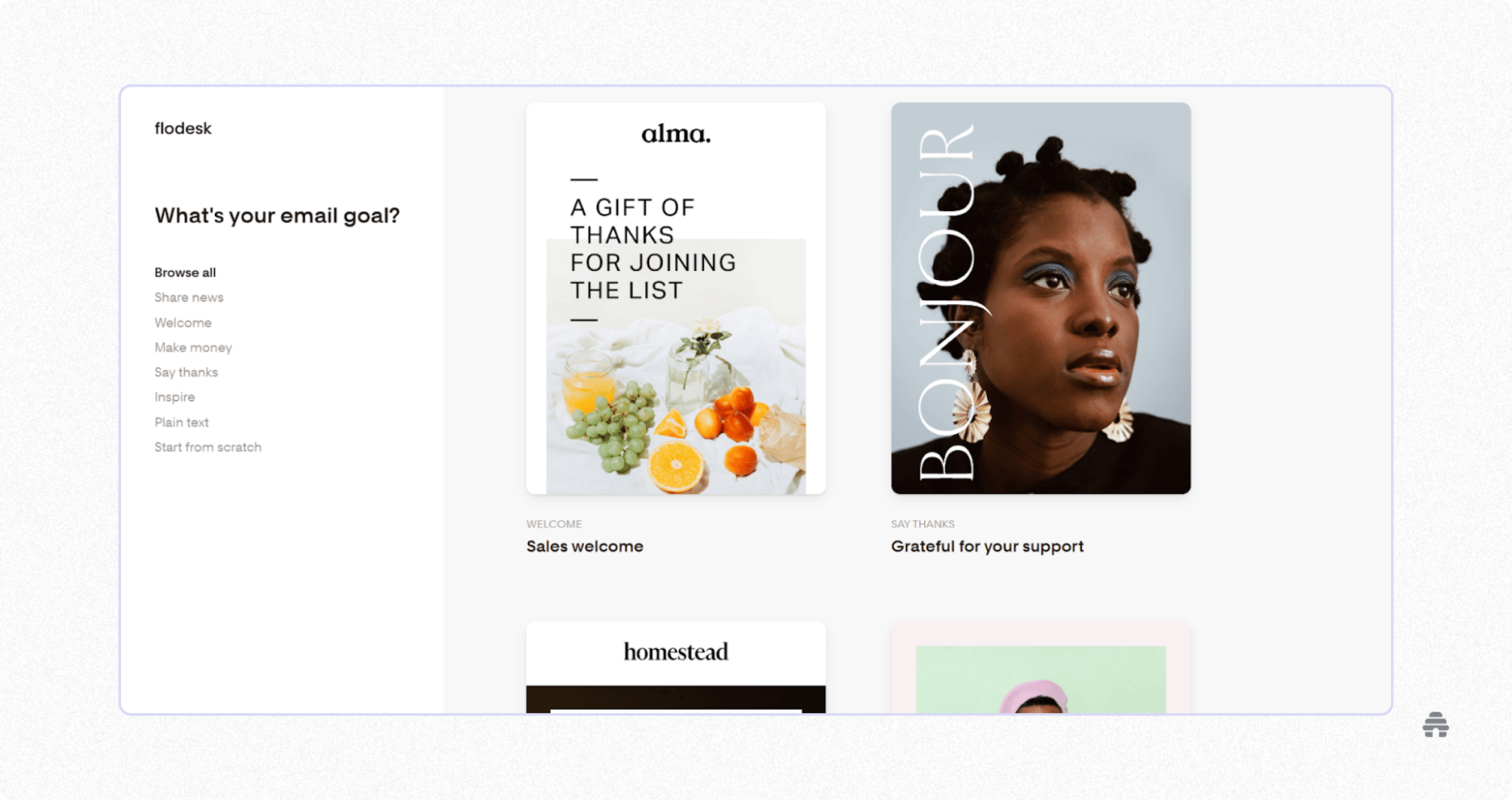
Flodesk works similarly to Kit, but it has fewer bells and whistles. This makes its interface much easier to navigate.
But it also means its segmentation and automation tools are basic, and it has many fewer native integrations than Kit. If you want to run complex, multi-step promotional emails, Flodesk won’t help.
If that isn’t a problem, Flodesk will win you over with its wide variety of aesthetic email templates. They look like they were torn out of a Forbes magazine and require minimal tweaks to get them ready for publishing.
For a long time, Flodesk maintained flat-fee pricing, but that has changed. It now uses a tiered pricing model, like every other email marketing tool.
Flodesk Pros
Sell digital products and track sales
Upload custom fonts for your emails and landing pages
Create polished emails quickly with templates and a simple editor
Flodesk Cons
No blogging and SEO tools
Limited landing page customization
Flodesk Pricing
Flodesk has a free plan for collecting subscribers through forms and landing pages, but you can’t send emails. Paid plans start at $25/month for 1,000 subscribers and unlimited email sends.
8. Patreon: Best for Big Creators Who Want To Connect With Loyal Fans
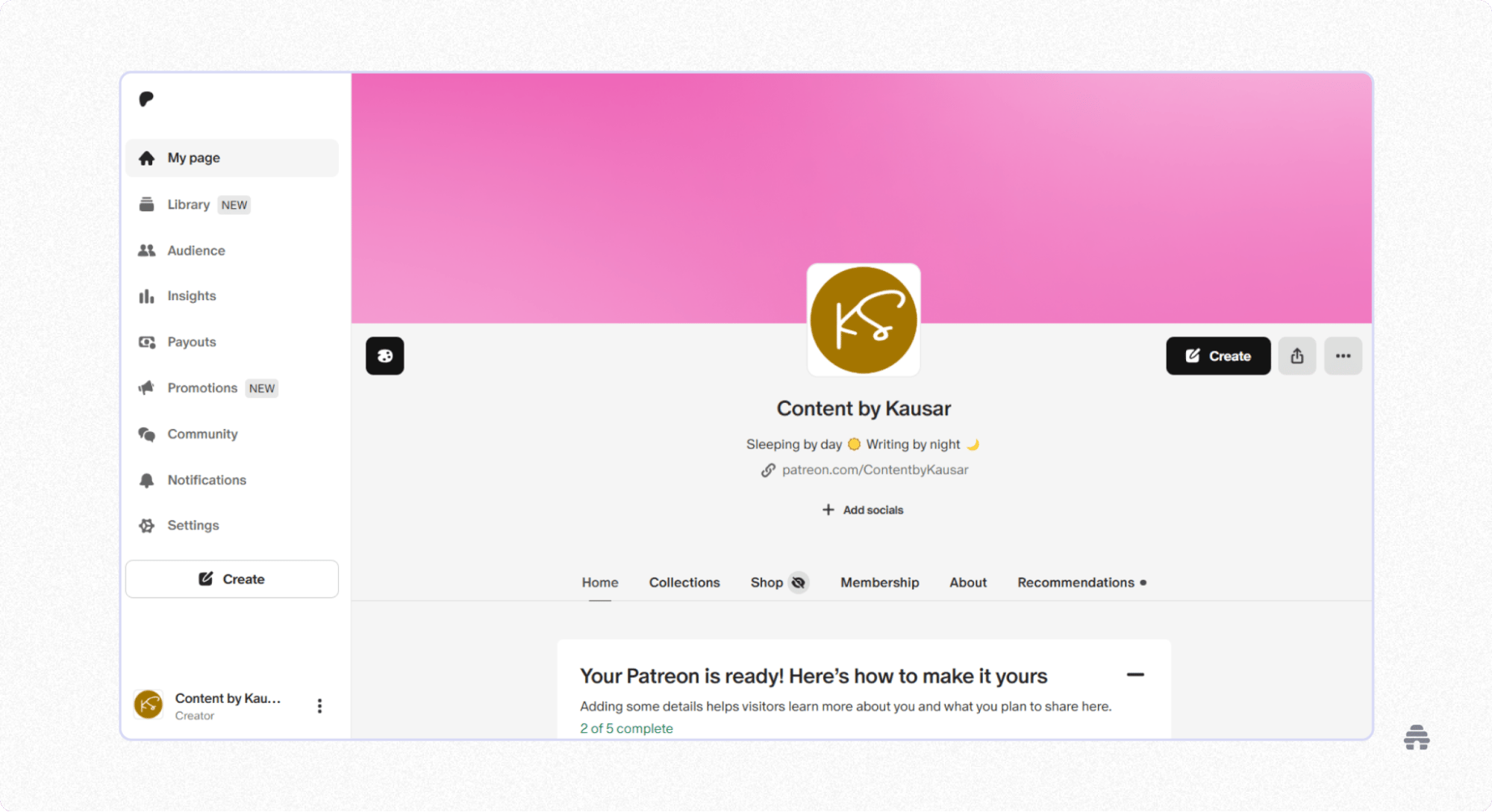
Patreon is a publishing platform for creators who earn through fan support.
These creators use platforms like YouTube, Instagram, or Facebook to grow their audience, then invite their most loyal followers to join their Patreon membership in exchange for exclusive resources, behind-the-scenes content, or direct interaction with them.
You can also set up a storefront to sell digital products, which helps supplement your membership income.
From my experience, Patreon is very easy to use. Like Substack, it is free to join, and you only pay fees when you start earning on the platform.
However, earning a sustainable income can be challenging. Only a tiny percentage of followers convert into paying members, and Patreon doesn’t have discovery tools to support your growth.
Patreon Pros
Access Patreon on the go with its Android and iOS apps
Offer multiple membership tiers or one-time payments
Choose from several payout options, including PayPal, Payoneer, bank transfer, and wire transfer
Patreon Cons
Earnings take up to seven business days to reach your account
Commission fees add up as your income grows
Patreon Pricing
It’s free. However, you’ll pay 10% of your income to Patreon.
9. Ko-Fi: Best for Small Creators Who Want Tips and Memberships With Lower Fees
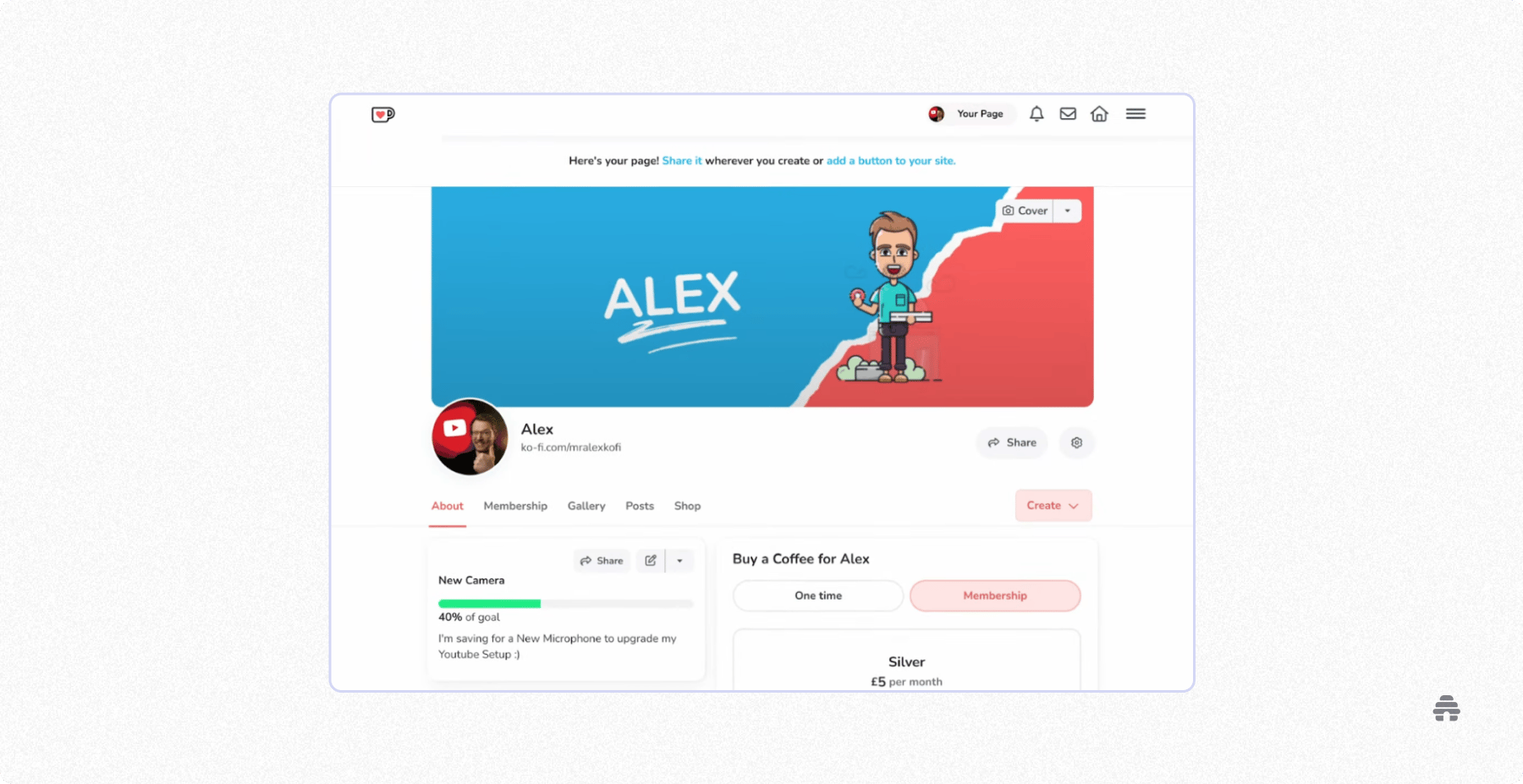
Ko-Fi has very similar features to Patreon. Like Patreon, you can accept tips, run memberships, and sell digital products on Ko-Fi.
One of the big differences is pricing. Ko-Fi charges lower commission fees, and payments go straight to your connected PayPal or Stripe account—there’s no waiting period or payout threshold.
The downside is fewer features. Compared to Patreon, Ko-fi offers fewer payout options, no built-in newsletter publishing or livestreaming, and fewer native integrations.
Ko-Fi Pros
Free to use if you’re only accepting tips
No minimum balance required to withdraw earnings
Optional flat-fee pricing to reduce costs as your earnings grow
Ko-Fi Cons
No mobile app
Doesn’t handle taxes in the platform like Patreon
Ko-Fi Pricing
Ko-Fi is free and takes 0% commission on tips. But you’ll pay a 5% commission fee on memberships and digital product sales, or you can remove those fees by paying a flat $12 per month.
10. Gumroad: Best for Creators Experimenting With Digital Product Ideas
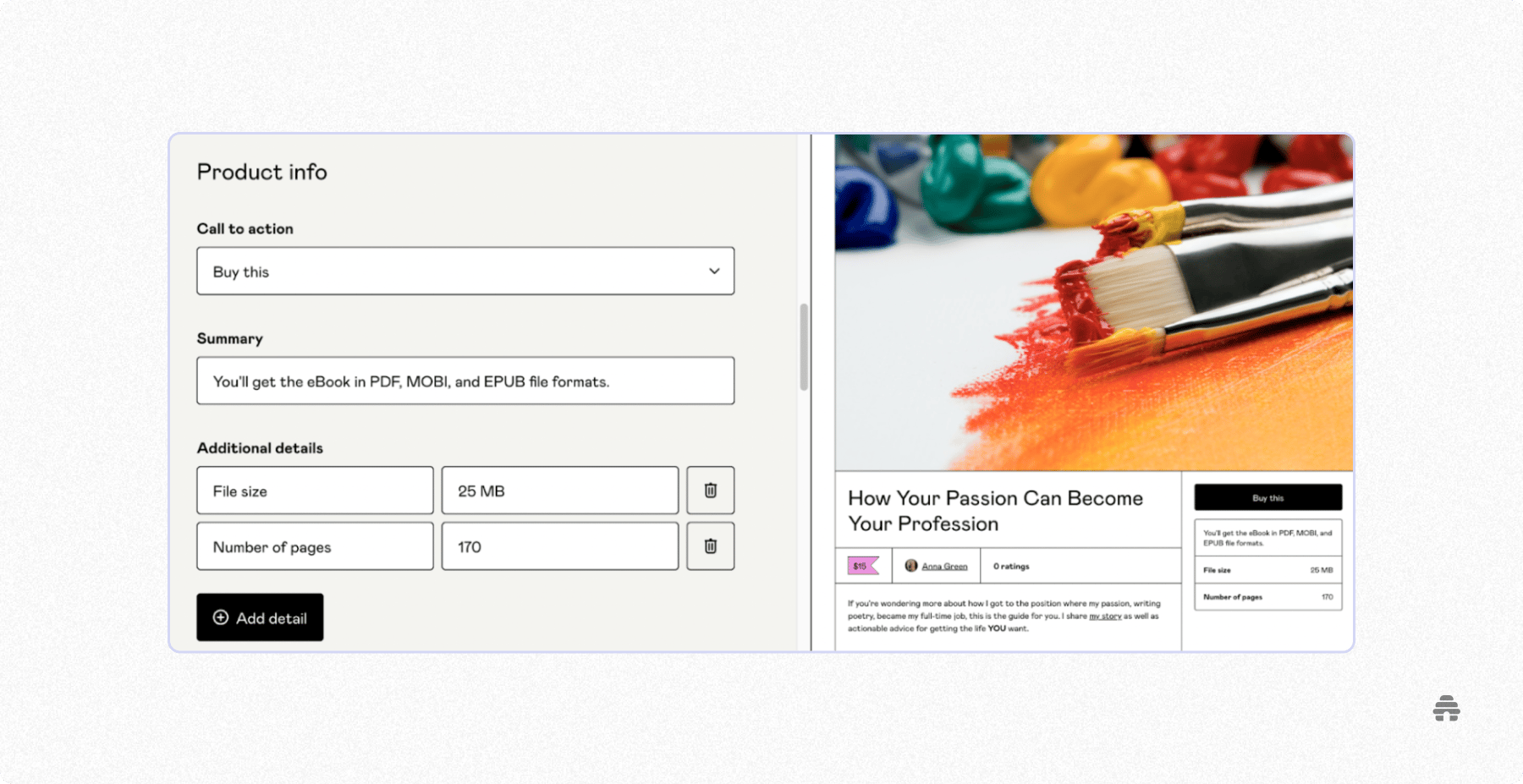
Gumroad focuses on helping creators to sell digital products and services.
You can use it to sell ebooks, audio or video files, or even access to external links, like an unlisted YouTube video or a booking page. Some call it the “Shopify for creators.”
It’s easy to use and free to get started. Gumroad only makes money when you do, which makes it a low-risk option if you’re testing multiple digital product ideas.
Unlike many digital product platforms, Gumroad has built-in email marketing tools. You can publish newsletters and run automated campaigns directly from the platform. But keep in mind that the email experience isn’t as simple and smooth as what you get with tools like beehiiv, Kit, or Flodesk.
Gumroad Pros
Boost product visibility through Gumroad Discover
Accept payments as one-time, recurring, or pay-what-you-want
Offer discount codes and run affiliate programs for your products
Gumroad Cons
High transaction fees
Limited storefront customization
Clunky email marketing functionality
Gumroad Pricing
It’s free. However, Gumroad takes a 10% + $0.50 cut on each sale when customers find your products directly and a 30% cut when sales come through Gumroad Discover.
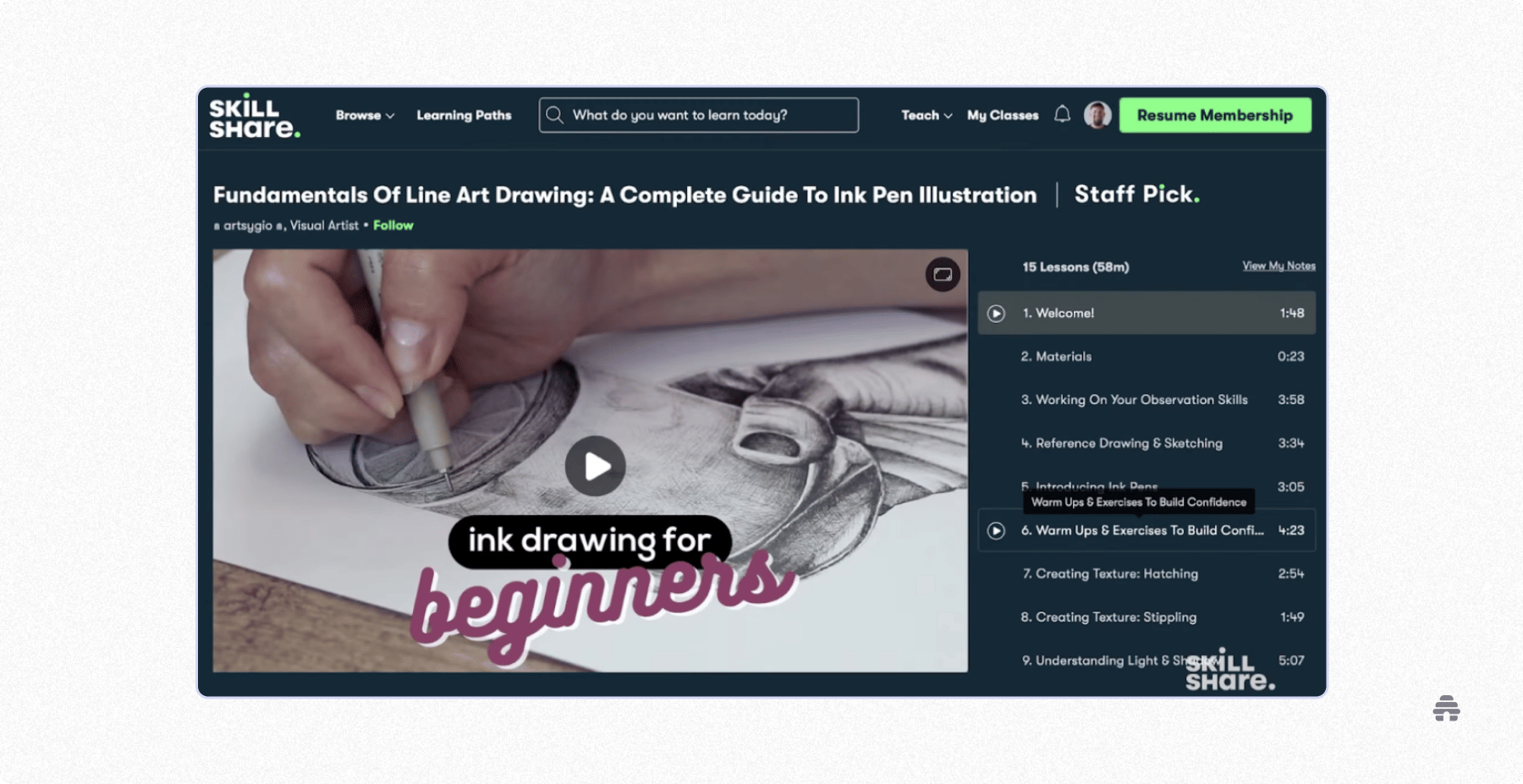
Skillshare is the Udemy for creatives. Courses on topics like graphic design, content creation, film, arts and crafts, and digital marketing perform best.
Before you can publish courses, you need to apply and get approved. Publishing is free, and Skillshare reviews every course to make sure it meets its guidelines. Once you’re in, your courses get exposure to Skillshare’s large audience of over 12 million registered users.
You earn money based on how much time members spend watching your videos. On top of that, Skillshare pays bonuses when you bring new subscribers to the platform.
Publish unlimited classes on the platform
Offer students an organized and engaging learning experience
Access resources that help with course creation, promotion, and using the Skillshare platform
You need at least 50 followers and 75 watched minutes to earn monthly royalties
Success on the platform largely depends on your niche
It’s free.
What You Should Look for in a Publishing Platform for Creators
Most publishing platforms are easy to use and relatively affordable. But if you want a platform that supports long-term growth and consistent earnings, you need to look beyond the basics.
Here are four key areas to consider when choosing the right platform:
Multiple Publishing Options
Most creators start with one format—whether that’s a blog, email, or digital product. But when it’s time to expand into new formats, they hit a wall.
Suddenly, they’re forced to buy third-party tools and figure out how to stitch everything together. The stress alone is enough to make you question your sanity and long-term vision.
That’s why it pays to think ahead.
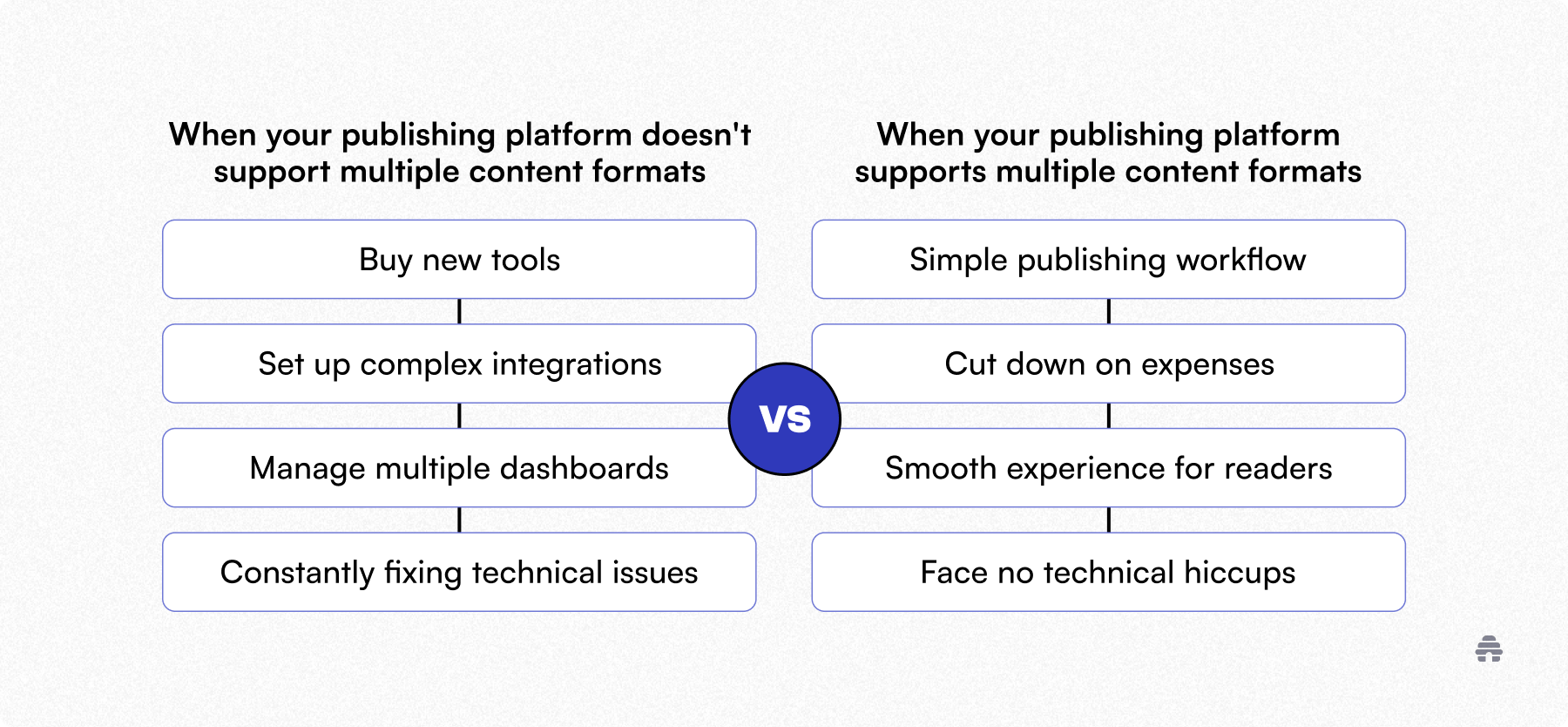
Choose a publishing platform that supports multiple content formats from the start, so you can reach your audience across different channels (whether now or later) without any unnecessary friction.
beehiiv stands out here. It lets you publish custom websites, newsletters, blog posts, and digital products from one place. This means a smoother workflow for you while creating a seamless experience for your customers on the front-end.
Distribution Reach and Control
Publishing platforms like Medium and Skillshare give you access to an existing audience, which is great when you are just getting started.
The drawback? You don’t have control over the algorithms and access to your audience’s emails for future communication.
On the other hand, platforms like Ko‑fi and Patreon let you collect emails and connect directly with your audience. But they do very little to help you grow. You are fully responsible for building your audience from scratch.
And what if you want the best of both worlds?
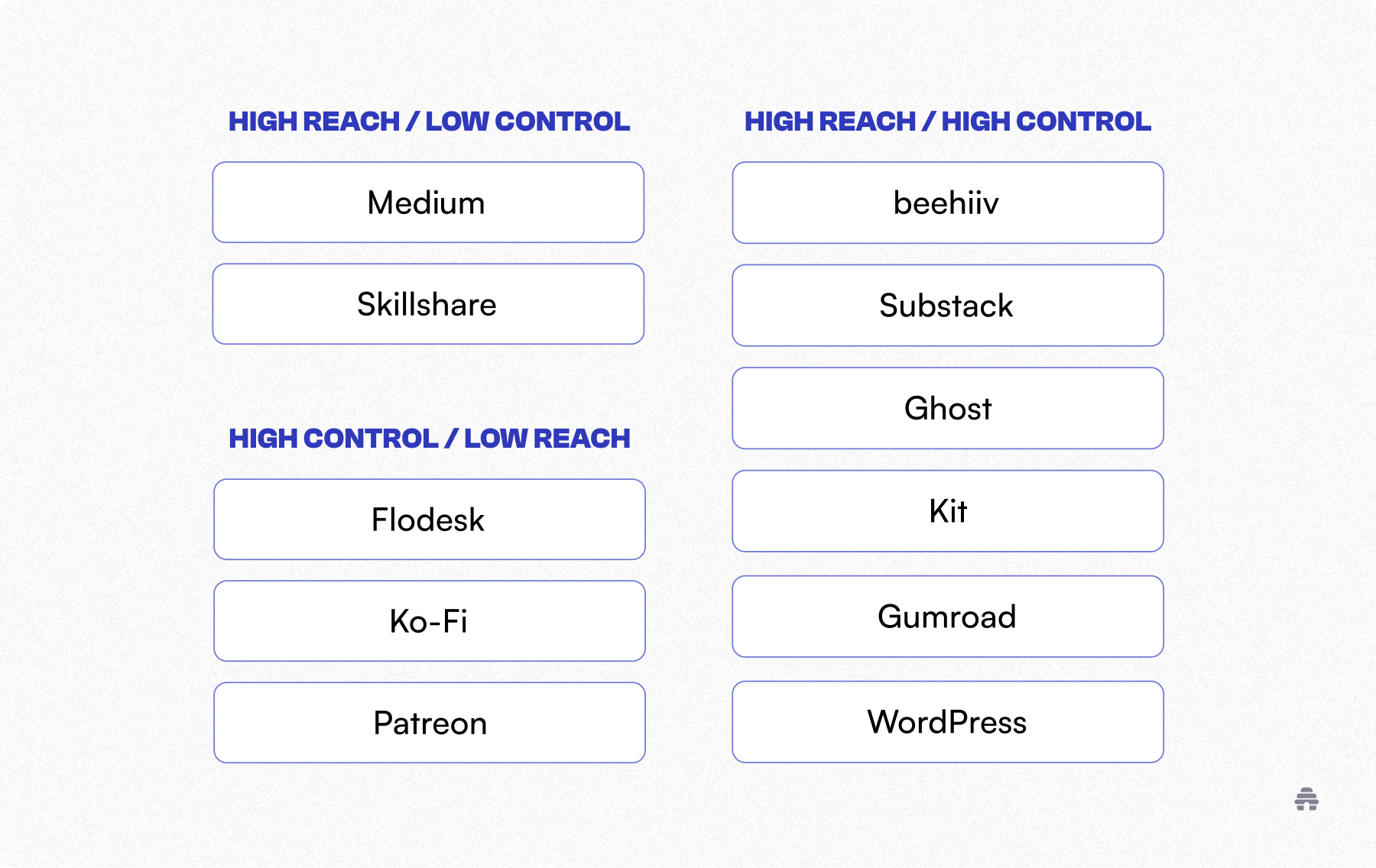
beehiiv, Substack, Ghost, Kit, or Gumroad will get you there.
Out of them all, beehiiv offers the widest range of growth tools, from SEO and free recommendations to referral systems and paid recommendations. This way, you can grow faster with little effort on your part.
Earning Readiness for Creators
Whether you’re looking to earn right away or in the future, make sure the publishing platform allows you to earn directly from the platform.
beehiiv offers diverse ways to earn, and creators on the platform have earned over $45 million to date.
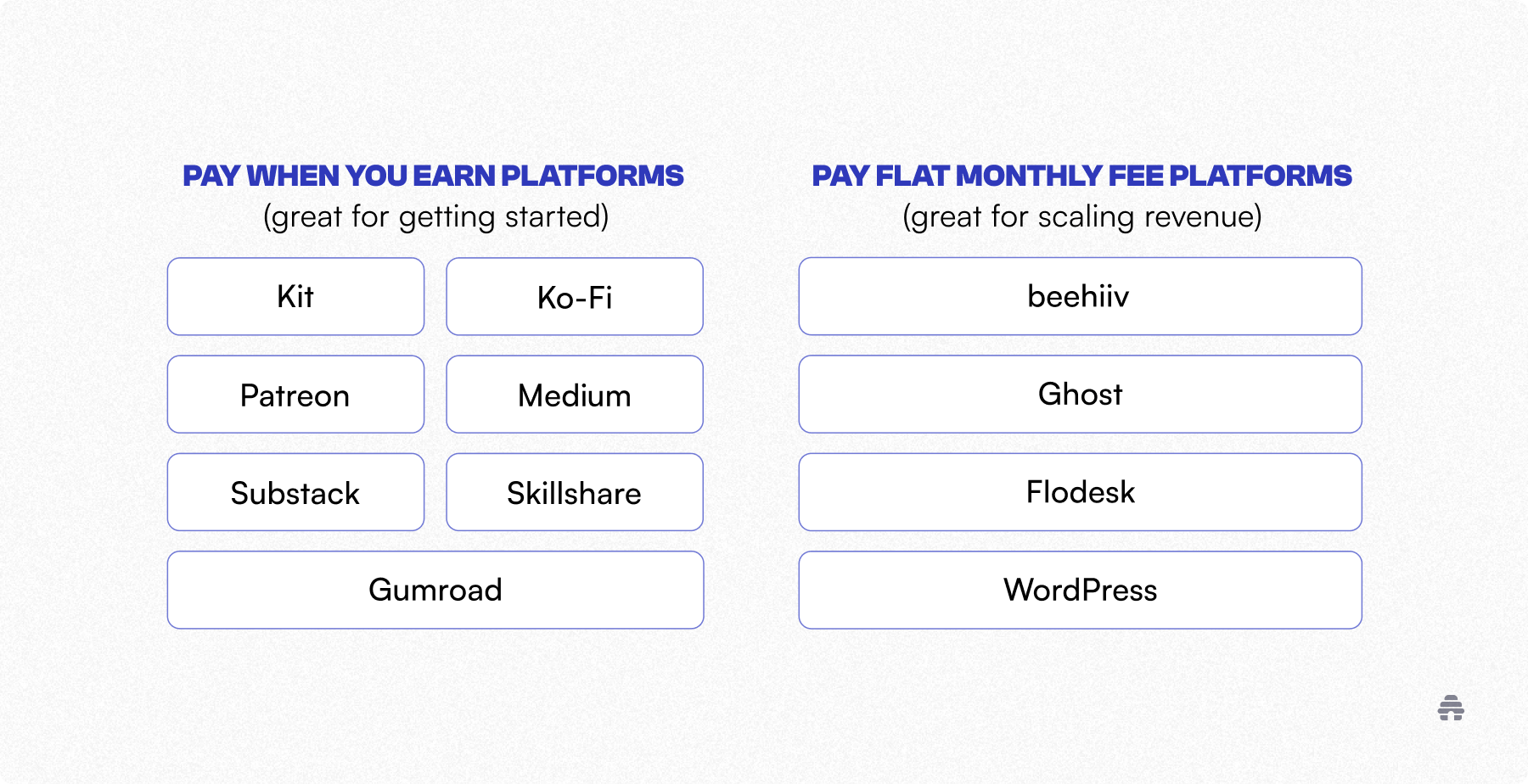
You pay a flat fee to access beehiiv’s earning tools, and beehiiv takes 0% commission on what you earn. This setup works well if you’ve already built an audience, validated demand, and want to scale your earnings.
But if you’re starting with a $0 budget, commission-based platforms like Substack, Gumroad, Patreon, and Ko-fi may be better for testing demand.
Audience Ownership and Portability
Publishing platforms change over time, and not always in ways that are beneficial for creators.
When that happens, you should be able to jump ship without hassle, right?
Well, not really. That’s only possible if you actually own your audience. If you don’t, switching platforms becomes difficult, like with Ghost or Substack, or even impossible, like with Medium or Skillshare.
Only a few platforms, like beehiiv, allow you to export your subscribers and content when it no longer works for you.
Why beehiiv Is the Best Publishing Platform for Creators
There’s no single best platform for every creator. But if you’re looking for that one platform that will stay flexible to your needs as you grow, then beehiiv is the ideal platform for you.
You can experiment with multiple growth and monetization channels, see what works, and double down on the ones that drive results.
And with beehiiv’s flat fee pricing, you can focus on maximizing your revenue without worrying about commissions eating into your earnings.
Here’s the best part:
beehiiv offers a free plan that lets you create a website, collect emails, and publish unlimited blog posts and emails. If you are ready to get started, sign up for beehiiv today!
FAQs on the Publishing Platforms for Creators
What Is the Best Platform to Self-Publish On?
beehiiv is one of the best platforms for self-publishing, especially if you want to manage your website, blog, emails, and digital products in one place. It also includes built-in tools like free recommendations, referrals, ads, and paid recommendations for supporting your growth and revenue goals.
What Is the Best Publisher for First Time Authors?
The best publishers for first-time authors who prioritize ease of use, little to no upfront cost, and discoverability tools are beehiiv, Substack, and Medium. But if you’re looking to explore more earning options and keep 100% of your earnings, beehiiv is for you.
What Is a Content Publishing Platform?
A content publishing platform helps you create and publish content like blog posts and newsletters so you can grow an audience and, in some cases, earn from it. Examples of content publishing platforms include beehiiv, Substack, Ghost, WordPress, and Medium.
Can You Make $1,000 a Month With a Blog?
Yes, many creators reach this goal, but it takes time and consistency. Common revenue channels include ads, sponsorships, affiliate promotions, memberships, and digital product sales. It’s up to you to explore these channels to see which works best for you. A publishing platform like beehiiv comes with earning tools, so it’s easier to get started.
Related Articles