- Home
- Posts
- 11 Best Substack Alternatives for Creators (2026)
11 Best Substack Alternatives for Creators (2026)
Analysis of Top Platforms for Newsletter


Nicola Vaughan & Kawusara Salley
October 1st, 2026

This article was updated in October 2026 for accuracy and relevancy
Substack is a big name in the newsletter space. As of 2026, it has more than 35 million active subscriptions.
However, like all tools, Substack has its own limitations. Users have pointed out certain drawbacks, such as challenges in collaborative editing, the platform taking a 10% cut from paid subscriptions, and basic customization options.
So, what alternatives are there if you’re considering starting a newsletter or wish to switch from Substack?
We will delve into some of the main alternatives to Substack, examining their features, capabilities, and how they stack up against each other. We’ll also look at niche-specific platforms like beehiiv, which allow for greater customization of newsletters, giving you more control over the look and feel of your content.
Best Substack Alternatives (Comparison Table)
Tool | Best For | Key Advantage | Revenue Share |
beehiiv ⭐ | Newsletter growth & monetization | Built-in Ad Network, Community, digital products, Podcast Hosting, Paid recommendations, referral program, 0% fees | 0% |
Ghost | Independent publishers & bloggers | Open-source, full CMS, self-hosting option | 0% |
Kit (ConvertKit) | Creators & digital products | 100+ integrations, automation, digital product selling | 0% (Stripe only) |
MailerLite | Budget-conscious beginners | Clean UI, affordable, good deliverability | 0% |
Flodesk | Design-focused creators | Beautiful templates, flat-rate pricing | 0% |
Medium | Writers seeking built-in audience | 750K+ paying members, high domain authority | Revenue split |
WordPress | Full site customization | Thousands of plugins, total control | Varies by plugin |
Buttondown | Minimalist writers | Markdown-first, clean & simple, privacy-focused | 0% |
Moosend | E-commerce newsletters | AI product recs, affordable automation | 0% |
Patreon | Multi-format creators | Direct fan support, diverse content formats | 8–12% |
GetResponse | All-in-one marketing | Webinar hosting, course builder, funnels | 0% |
The newsletter platform market is diverse and competitive, with several key players making their mark.
We've seen staggering growth. Revenue was valued at $7.5 billion in 2020 and is expected to soar to $17.9 billion by 2027.
This market reflects the increasing importance and effectiveness of email newsletters for communication, marketing, and content distribution.
A Reuters report underscores this trend, with publishers indicating they plan to invest more in digital channels like email newsletters (70%) and podcasts (80%), which have proven successful in boosting loyalty and attracting new subscribers.
Interestingly, email remains the preferred channel for a majority of consumers. About 60% of consumers favor receiving promotional messages through email, compared to only 20% who prefer social media for such communications.
Newsletters and email marketing create a direct line to your audience, allowing for a more personal and consistent connection than social media's often unpredictable nature.
With advanced analytics, you can gain valuable insights into your audience's behavior and preferences, enabling you to tailor your content more effectively.
Also, the rise of paid newsletter platforms has opened lucrative opportunities for content creators and small publishers to monetize their audience directly.
When looking for a newsletter platform, consider the following elements:
Customization and Branding: Look for platforms that offer extensive customization options to align with your brand's aesthetic.
Collaboration Tools: If you work with a team, choose a platform that supports collaborative efforts seamlessly.
Integration Options: Platforms that integrate easily with other tools enhance your workflow and expand your capabilities.
Detailed Analytics: Robust analytics tools are key to understanding your audience and measuring engagement.
Monetization Features: If revenue generation is a goal, select a platform that supports various monetization strategies. Also, what are their monetization terms? Do they take a percentage of your earnings, or is it a subscription model?
Engagement Enhancements: Does the platform provide tools for audience interaction, such as surveys or polls?
Substack Pros
Substack has more than 50 million active subscriptions, including five million paid. This shows that many creators not only publish consistently on the platform but also earn from it. Here are some reasons why it works well for them.
The Setup Process and Ease of Use
After using tools like WordPress and Mailchimp for blogging and newsletters, I immediately noticed how much simpler it is to set up Substack.
Everything is hosted for you, so there’s no need to deal with hosting-related hassles, plugins, SSL certificates, or anything technical. Plus, you automatically get a Substack subdomain (name.substack.com) for your publication. If you prefer using your own domain, you can connect to it.
When you’re ready to start writing, you’ll notice that the editor is clean and free of distractions. It works a lot like Google Docs, with a toolbar at the top and a blank page where you can start wiring.

You can format your text, add images, audio, and video to your content, and insert “Subscribe” or “Upgrade to Paid” buttons.
Writing feels simple and fun with Substack, which helps you enjoy the writing process and stay consistent.
Thanks to Substack’s built-in reader community, it’s easy to grow your audience from day one inside the platform—no SEO or social media efforts required.
Readers often browse the Explore page. If your publication is categorized correctly and you post regularly, especially using Notes, you can start attracting new subscribers organically.
Notes works mostly like X (formerly Twitter). It lets you share quick thoughts, updates, or link back to your longer posts. These posts can be seen by anyone using Substack, not just your existing subscribers. If people engage with your Notes, they can click through to your newsletter and subscribe.
I personally don’t spend much time there, since there are already enough social platforms to keep up with; but it can definitely help with visibility if you’re active.

Substack also has a recommendation feature. You recommend other publications to your readers, and they recommend yours back. As a reader, this is how I’ve discovered many newsletters around my areas of interest.

How Substack Handles Monetization
The only way to monetize on Substack is through paid subscriptions. You can offer a monthly plan, a yearly plan, or a higher-priced “founding member” option for readers who want to support your work more generously.
Most creators charge between $5 and $20 per month, or $50 to $200 per year. Founding member plans often range from $200 to $350 per year.

In return, paying subscribers get access to premium content. But Substack also lets you turn features like chat, comments, and discussion threads into paid-only perks.
That means you don’t always need to produce extra content to make your subscription valuable; you can simply monetize access to you and your community discussions.
Substack Cons: Where Substack Falls Short for Creators
As your newsletter grows, Substack’s limitations become hard to ignore. Here are some of the common challenges that lead creators to consider Substack alternatives.
The 10% Fee That Cuts Into Profit
Substack is free to use – until you turn on paid subscriptions. Once you start earning, Substack keeps 10% of your revenue, plus Stripe’s standard processing fee of 2.9% + $0.30 per transaction.
At first, it doesn’t seem like much.
If you have 50 subscribers paying $10 a month, you earn $500, and Substack takes $50.
But as your subscriber base grows, the fee grows with it.
With 500 subscribers, you earn $5,000, and Substack keeps $500 every month, even though you’re still using the same features.
Now imagine you’re earning $100,000 a month. You’d be paying around $10,000 to Substack every single month.
So while the platform is great for getting started, the percentage-based pricing can get expensive once your newsletter begins to scale.
Stuck With One Income Stream and No Room To Diversify
As mentioned earlier, Substack only lets you earn via paid subscriptions.
You can include links to your products, affiliate offers, or tip jars inside your content – but they can’t be the focus of your newsletters. If most of your content is geared toward promoting external offers, it goes against Substack’s terms.
In other words, you can’t treat Substack the same way you would use Kit (formerly ConvertKit), MailerLite, or Mailchimp, where sending promotional emails are a norm.
It makes sense, since Substack focuses on valuable long-form content and earns when you earn through subscriptions. Still, some creators have reported having their accounts flagged for linking to Medium posts or Amazon books.

Because Substack is built for writing rather than promotional campaigns, its segmentation and automation tools are limited.
For instance, you can’t set up sequences for product launches, events, or onboarding. The only automated message you can send is a basic welcome email when someone subscribes.
Your Brand Identity Dies With Limited Customization Options
When you create a publication on Substack, you get a simple website with default pages like Home, About, and Archive. You can add extra pages and make basic changes like adjusting the background color, accent color, and typography.
But that’s pretty much it. There’s no website builder, so you can’t change page layouts, move things around, or design it to fully match your brand.

For writers who only need a simple space to publish their content, this setup works fine.
But if you want more flexibility, and a site that reflects your brand’s personality, Substack restricts you. No matter how much you try to customize, your site will still look like everyone else’s Substack publication.
Connecting to Your Tech Stack = Mission Impossible
Substack is a closed platform, so it can’t connect to other tools in your tech stack. There are no native integrations, and it doesn’t work with connector tools like Zapier or Make.
How about a Substack API? It's non-existent.
This means you can't import leads from your CRM software, survey tools, and learning management system (LMS) platforms, or even sync subscriber data in Substack to other platforms. If this is a requirement for your content production workflow, you’re better off without Substack.
11 Top Substack Alternatives
Substack has certainly made waves in this space, offering a straightforward and popular way for writers and publishers to connect with their audience.
However, there's a wealth of options, each with unique features and benefits. Let’s look at these alternatives.
1. beehiiv

beehiiv is an all-in-one inbound emailing platform. It provides a comprehensive solution for creators and businesses to produce, monetize, and expand their newsletters.
Particularly suited for content-focused newsletters and publications, beehiiv offers an integrated approach, encompassing website management, email, data analytics, and growth tools.
beehiiv has a powerful, clean, and minimal editor that offers advanced formatting and design options that surpass many of the basic tools available on Substack.
Like Substack, beehiiv provides you with a dedicated website for your newsletter. However, if you already have an established website, beehiiv offers sign-up embeds to integrate seamlessly into your existing website.
These embeds enable you to funnel subscribers directly from your website to your beehiiv email list.
beehiiv Features
Custom Email Automation: The automation features in beehiiv enable you to design personalized email journeys for your subscribers. These automations are triggered by specific actions your subscribers take, such as signing up, upgrading their subscriptions, and more.
AI-Driven Optimization: Integrating Artificial Intelligence in beehiiv provides an edge in content optimization and audience engagement strategies. You just describe what you want to write, select the tone and length, and the AI will create content for you. You can also auto-correct existing text, auto-complete, or regenerate content until it matches what you want. beehiiv also has a copilot that can work alongside you in platform.
Comprehensive Growth Tools: beehiiv offers a suite of growth tools, including referral programs and personalized content recommendations, essential for expanding a newsletter’s reach. You also get features like email gating with pop-ups to help you get subscribers genuinely interested in your content.
Diverse Monetization Strategies: While Substack focuses primarily on subscription-based monetization, beehiiv offers a wider range of options, including an ad network, paid recommendations, and premium subscriptions. This variety provides creators with more flexibility in how they monetize their content.
Podcast Hosting: On the podcast side, beehiiv offers native hosting on all plans with 0% revenue share, one-click sync to Apple Podcasts and Spotify, auto-generated transcripts, and audio normalization. Unlike Patreon, which charges up to 10% of creator revenue, beehiiv lets podcasters keep everything they earn. Private podcast feeds for paid subscribers are available on Lite (one feed), Pro (two feeds), and Enterprise (unlimited).
Community: beehiiv includes native Community with Channels, gated spaces, and audience relationship tools connected to your subscriber data. Creators can further engage their audiences with interactive content, automated welcome series, and strategic landing pages.
beehiiv Limitations
Lack of a Dedicated Mobile App: Users can't create, edit, or manage their newsletters on the go as conveniently as they might with other platforms that offer mobile support. This could be a notable drawback for creators who rely heavily on mobile devices for their work or prefer the flexibility of managing their content from anywhere.
beehiiv Pricing
beehiiv's pricing structure is straightforward and caters to a wide range of needs, from beginners to those looking to scale their operations.
We offer four plans: Free, Lite, Pro, and Enterprise each with features and capabilities suited to different stages of newsletter growth.
Free: This plan is free. It’s for beginners or small-scale creators with up to 2,500 subscribers. You get features such as unlimited sends, API access, web hosting for your newsletter, custom newsletter design options, custom domain, campaign analytics to track performance, etc.
Lite: From $49/month (billed annually), or $59 month to month, for up to 1,000 subscribers, rising with your subscriber tier. Supports up to 100,000 subscribers. You get everything in the Free plan plus ad network, community access, premium subscriptions for monetization, access to beehiiv AI, email automation and a lot more!
Pro: From $95/month (billed annually), or $109 month to month. This is for large publishers and businesses aiming for significant growth. You get up to 250,000 subscribers. This plan offers advanced features such as an advanced web builder for sophisticated website designs, priority support, and access to the beehiiv newsletter XP course!
Enterprise: Custom pricing for 250,000+ subscribers. Includes a dedicated account manager, dedicated IP addresses, Send API, concierge onboarding, and SSO.
With a free trial, you can choose a plan that best fits your current stage and scale up as your newsletter grows.
Customer Reviews
When choosing a newsletter service, firsthand customer experiences provide valuable insights.
AI Central has a 300K+ email list, and its founder shared why they moved from Substack to beehiiv: "beehiiv gave me an owned audience, real segmentation, and an API I could build systems on top of, not a walled garden. So the switch was a no-brainer."
Here’s a compilation of reviews from users who have opted for beehiiv, highlighting its advantages and how it compares to other services.
Comprehensive and Scalable Pricing: One user, who carefully reviewed multiple newsletter services before choosing beehiiv, pointed out a key advantage in its pricing structure. They observed that while most platforms introduce steep price increases and set limits on the number of subscribers after reaching 10k subscribers, beehiiv offers an unrestricted approach in its final pricing tier. This lack of limitations makes it a preferable choice for users intending to expand their subscriber base significantly.
User-Friendly Interface and Integration: A user highlighted the ease of setting up forms with beehiiv. Compared to other platforms they had tried, they found it the simplest to use and adjust across various widgets.
Smooth Transition from Other Platforms: For users switching from services like MailChimp, the transition to beehiiv has been noted as smooth and not overly complicated.
Sign up for our free trial today. Our user-friendly interface, advanced customization, and comprehensive growth tools are the perfect solution to expand your reach and influence.
2. Ghost
Ghost is an open-source alternative to Substack. Its independence as an app allows creators to transform their audience into a thriving business, focusing on building a membership service for their content.
Unlike Substack's one-size-fits-all approach to email design, Ghost offers a variety of templates, allowing you more freedom and creativity in your email layouts.
Ghost combines a full website, CMS, newsletter platform, and paid subscription launch capability, all within a modern and highly efficient framework.
Ghost Features
Open-Source with Full Ownership: Ghost being open-source means you have complete ownership of your data and content. For those who prefer ultimate control, self-hosting your Ghost site is an option.
Minimal and Clean Design: Like beehiiv, Ghost boasts a minimal and clean design. Its themes come with built-in helpers, allowing easy querying of the Ghost API for almost any data. This is enhanced by a GraphQL-like syntax for filtering results.
Built-In SEO Tools: Ghost automatically generates and links to a comprehensive Google sitemap, ensuring that search engines index all pages effectively.
Superior Performance: Performance is key, and Ghost is designed with this in mind. It's noted for being significantly faster than other platforms like WordPress, which is crucial for user experience and search engine rankings.
Custom Integrations: With full control over the front end and access to Ghost's JSON API and webhooks, creating custom client-side integrations is straightforward.
Ghost Limitations
Cost: Platforms like beehiiv offer a free tier for up to 2,500 subscribers, appealing to new creators or those with a smaller audience. In contrast, Ghost's pricing structure, while offering robust features and capabilities, might be a significant investment for some users, particularly those just starting or operating on a tight budget.
Technical Expertise Required: Customizing and editing templates in Ghost might require some coding experience, which could be a hurdle for those not technically inclined.
Ideal Use Cases: Ghost excels in blogging and publishing articles. However, if a user requires an extensive Content Management System (CMS) for a broader range of functionalities beyond blogging, Ghost might not be ideal.
Ghost Pricing
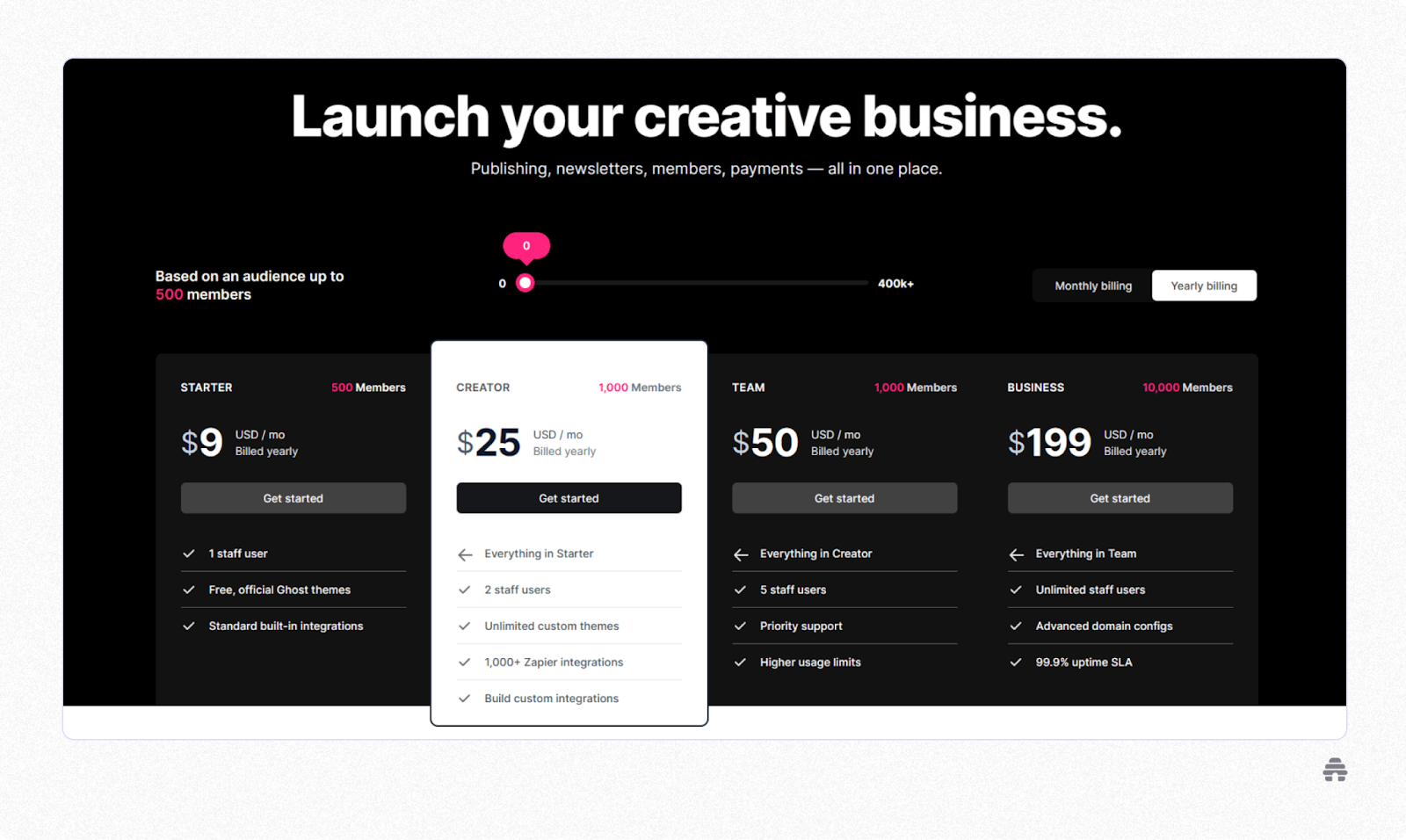
Ghost offers a range of pricing plans designed to cater to different needs and audience sizes. All plans come with a 14-day free trial, allowing you to explore the platform before committing.
Ghost offers four managed hosting plans (all billed annually), plus a free self-hosting option:
Starter: $15/month. Up to 1,000 members. Includes 1 staff user, custom domain, email newsletter, and basic design settings.
Publisher: $29/month. Up to 1,000 members. Includes 3 staff users, custom themes, 8,000+ integrations, paid subscriptions, and advanced analytics.
Business: $199/month. Up to 10,000 members. Includes 15 staff users, priority support, higher usage limits, and early access to features.
Custom: Custom pricing. Unlimited members. For large publishers needing unlimited staff, dedicated IPs, and a 99.9% uptime SLA.
All plans include a free trial. Self-hosting Ghost is also free for technically inclined creators.
3. Moosend
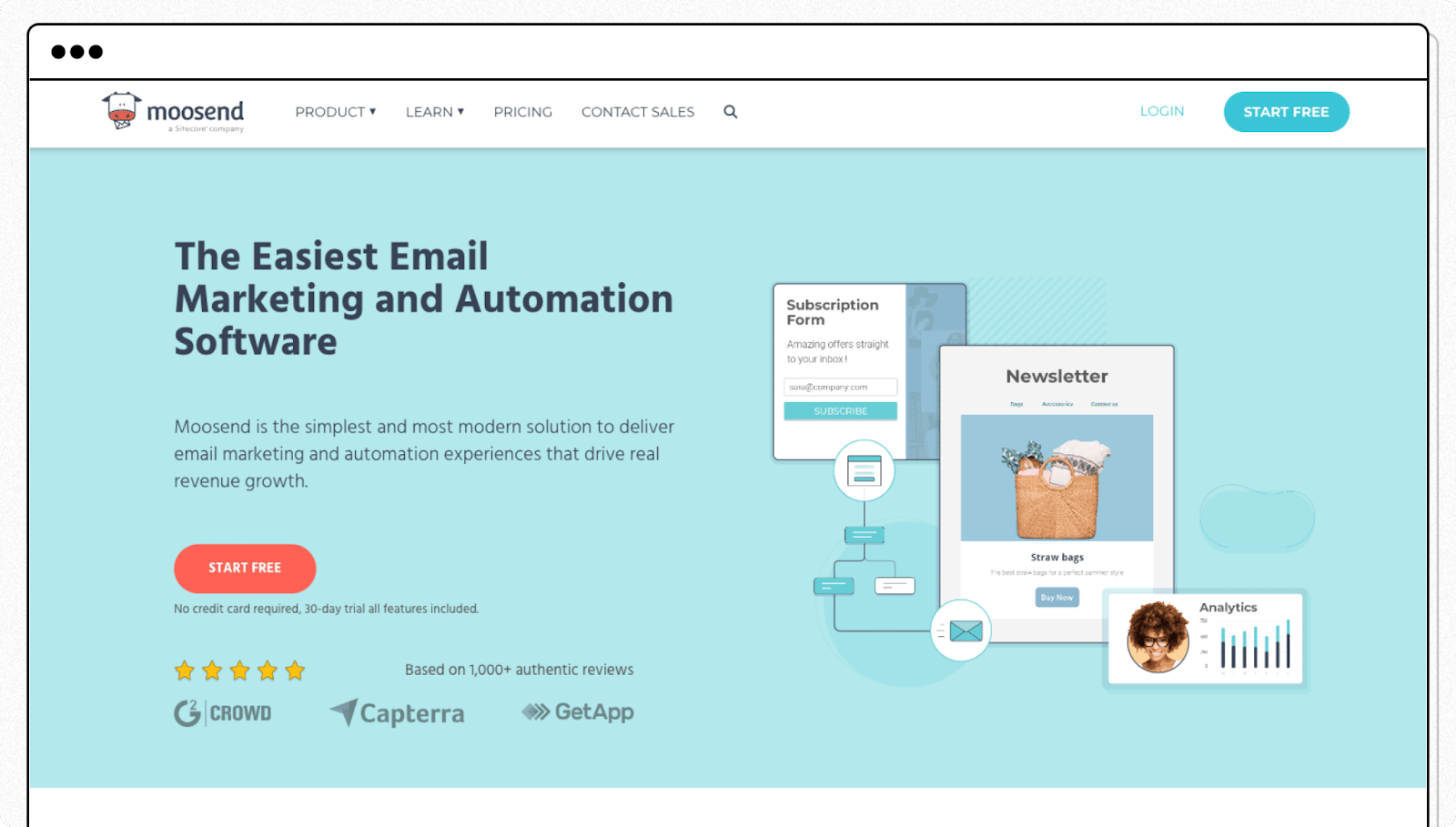
Moosend boasts an award-winning, all-in-one user interface that is easy to navigate and simplifies creating and managing email campaigns.
One of the standout features of Moosend is its drag-and-drop newsletter editor. This tool allows you to easily create visually appealing and high-converting emails without extensive technical skills.
The editor's simplicity means you can create a beautiful email newsletter in just minutes.
Moosend excels in offering advanced personalization and automation features. Unlike Substack, where personalization capabilities are relatively limited, Moosend provides smart segments and forms that enable users to tailor their content to individual subscriber preferences and behaviors.
Moosend Features
Elegant and Customizable Templates: Moosend provides a range of pre-made email templates, including options like RSS feeds, that you can customize on the spot. This is useful for those who want to create professional-looking emails quickly and efficiently.
Advanced Personalization and Segmentation: Moosend takes personalization to the next level with smart segments and forms. These features allow for a more tailored approach to email marketing, ensuring that your messages resonate more deeply with your subscribers.
HyperPersonalization: Utilizing artificial intelligence, Moosend can recommend products based on your visitors’ tastes and previous purchases. This is useful for e-commerce newsletters, as it can significantly enhance the shopping experience for your customers.
Lead Generation Tools: The platform includes effective lead generation tools like subscription forms and countdown timers. You can use these to increase your subscriber base and drive urgency in your call-to-actions.
Moosend Limitations
Slightly Steeper Learning Curve: Creating newsletters in Moosend is more challenging than straightforward platforms like Substack. This is primarily due to Moosend's advanced features and customization options, which, while powerful, can introduce a steeper learning curve.
Lack of Intuitive Building Features: The platform offers a convenient drag-and-drop email creation functionality. However, some users have found that editing these elements is not as intuitive as they would like. An example is the difficulty locating certain options, such as deleting a custom value that might not be immediately apparent.
Moosend Pricing
Moosend offers a flexible pricing structure for various needs and a generous 30-day free trial.
Moosend offers a 30-day free trial (no credit card required), then paid plans:
Pro Plan: $9/month (or $7/month billed annually) for up to 500 subscribers. Includes unlimited email campaigns, marketing automation, landing pages, subscription forms, and SMTP server. Scales up based on contact count.
Moosend+: Custom pricing. Includes everything in Pro plus transactional emails, SSO & SAML, a dedicated IP, and an account manager.
Note: Moosend does not have a permanently free plan — only the 30-day trial.
4. Medium
Medium is widely recognized as a significant competitor to Substack, primarily due to its built-in community and unique approach to content sharing and monetization.
One of Medium's most compelling features is its substantial built-in community, with over 750,000 paying members.
This ready audience provides a quicker and often more efficient way for writers to build an online community than other platforms. For those starting from scratch or looking to expand their reach, Medium's audience base is an invaluable asset.
Medium Best Features
Monetization and Content Exposure: Medium offers a unique monetization model through its Partner Program. You can earn money based on the time paying members spend reading your articles. Although earnings might start as a few cents per minute of reading, this can accumulate significantly given Medium's large following.
User Experience and Content Focus: Medium has a clean, user-friendly interface, making it easy for writers to publish and readers to consume content. The platform emphasizes quality content across various topics, encouraging discovery and engagement.
Algorithm and Visibility: Medium’s social media-style algorithm recommends content to readers with similar interests, potentially increasing visibility more than Substack’s limited internal marketing features.
SEO Benefits: Medium has a high Domain Authority. This high domain authority can help you rank your articles for competitive keywords on search engines, enhancing online visibility.
Medium Limitations
Limited Free Access for Readers: One significant limitation is Medium's paywall. Free users on Medium have access to only five free articles per month. This restriction means that most of your content on Medium is likely to be seen primarily by paying subscribers.
Limited Customization Options: Unlike blogging platforms like Substack or beehiiv, which offer a wide range of plugins for site customization, Medium provides limited options. The design and customization capabilities on Medium are relatively restricted, meaning you have less control over the look and feel of your page.
No Monetization Through Display Ads: Medium does not allow you to monetize your blogs through display ads. This contrasts with other platforms where ad revenue can be a significant source of income for creators
Medium Pricing
Medium is free for writers to publish. Readers can access a limited number of stories for free, with full access requiring a paid membership:
Medium Member: $5/month or $50/year. Unlimited reading, audio narrations, offline access, and Mastodon community access.
Friend of Medium: $15/month or $150/year. All Member benefits, plus the ability to share member-only stories and contribute more to writers.
A portion of reader membership fees is distributed to writers based on engagement — this is how writers on Medium earn revenue.
5. WordPress
WordPress is a robust alternative to Substack, particularly for its versatility, customization capabilities, and broader functionality.
One of the most significant advantages of WordPress over Substack is the level of customization and control it offers.
WordPress allows you to fully customize the look and feel of your site, with thousands of themes and plugins available. This extensive customization is ideal for creators who want to establish a unique brand identity or require specific functionalities beyond basic newsletter publishing.
Unlike Substack, which primarily focuses on newsletter creation and distribution, WordPress is a comprehensive content management system (CMS). It can handle various content types, from blog posts and pages to media galleries and e-commerce.
However, out of the box, WordPress doesn’t include built-in membership or subscription capabilities. You'll need to integrate a membership plugin to create a subscription-based model similar to Substack, where users pay to access content.
WordPress Features
Responsiveness: Many WordPress themes are designed to be responsive, ensuring that your newsletter looks great regardless of whether it is viewed on a desktop, tablet, or mobile device. This is crucial in today’s multi-device world.
Email Marketing Tools: WordPress’s plugin library includes a range of email marketing tools that allow for creating, sending, and managing email newsletters directly from your WordPress dashboard.
Automation and Segmentation: Plugins like MailPoet offer automation features for sending newsletters at scheduled times and segmenting your audience based on their interactions with your site, enhancing the relevance and effectiveness of your communications.
Subscriber Insights: With WordPress analytics plugins, you can gain in-depth insights into your subscriber base, understanding their behaviors and preferences, which can inform your content strategy.
WordPress Limitations
Technical Knowledge Required: Unlike Substack, which offers a straightforward, user-friendly interface for newsletter creation, WordPress can be complex. You often need a basic understanding of web development, or at least a willingness to learn, to fully exploit its capabilities.
Dependence on Plugins: WordPress relies heavily on plugins for many advanced features, including email marketing and newsletter functionalities. This means you must find, install, and maintain the right plugins.
Hosting Requirements: WordPress requires external hosting, and the performance and reliability of your site depend heavily on your choice of host. Unlike Substack, which is hosted, WordPress users have to manage their hosting, which can add extra cost and responsibility.
WordPress Pricing
WordPress is open-source software. It’s free to download, use, and modify. This open-source nature allows you much flexibility and control over your website and content.
However, we have seen that you need plugins to make readers pay to access content.
Many essential plugins are free, but more specialized features, particularly those related to newsletters and email marketing (like membership plugins), require paid versions.
Many of these will ask you for a flat fee. So, monetizing your site or newsletter means your costs don't increase with your earnings. This contrasts with Substack, which takes 10% of your subscription revenues.
6. Patreon

Unlike Substack, which primarily focuses on newsletter subscriptions, Patreon is built around members supporting creators directly.
This model is ideal for creators who wish to offer exclusive content, services, or experiences to their audience in exchange for recurring membership fees.
Also, Patreon allows creators to host and distribute content directly to their patrons. For instance, video creators and podcasters can upload their content directly on Patreon, making it accessible exclusively to their subscribers.
Patreon operates on a recurring subscription basis, typically charging patrons monthly. This model provides creators with a steady income stream, which is crucial for long-term sustainability and financial planning.
Patreon Features
Diverse Content Formats: You can publish text, images, audio, and video on Patreon. This makes it suitable for artists, educators, entertainers, and content creators. By offering various content formats, creators can keep their audience engaged differently.
Direct Messages and Community Interaction: Patreon enhances the creator-fan relationship through direct messaging. This lets fans send private messages to creators, fostering a more personal connection. The platform also provides community areas for discussions.
Patreon Commerce: Creators can now sell individual digital exclusives like special videos, podcast episodes, or digital art. This feature adds an e-commerce aspect to the platform, providing another channel to monetize your content.
Patreon Limitations
The comment system on Patreon has been a point of concern for some users. The current system, likened to commenting on a blog post, can sometimes make it challenging for creators and patrons to keep track of conversations or updates.
One noted limitation of Patreon is the lack of active engagement on platforms like YouTube in creating instructional or how-to videos for their products. This can be a drawback, especially for new users or those who are not as tech-savvy, as they may prefer visual, step-by-step guides on how to effectively use the platform’s features.
Patreon Pricing
Patreon offers two main pricing tiers, Pro and Premium.
Patreon offers three tiers:
Free: Basic creator page with limited features. Patreon still takes a payment processing fee.
Pro: 8% of earnings. Includes membership tiers, analytics, promo tools, and messaging.
Business (formerly Premium): 12% of earnings. Adds a dedicated partner manager, onboarding support, and premium tools for larger creators.
All tiers are subject to additional payment processing fees (typically ~2.9% + $0.30 per transaction).
7. Kit

Kit (formerly ConvertKit) is built for creators who sell digital products alongside newsletters. It combines email marketing with commerce tools, letting you sell templates, courses, and downloads directly to subscribers.
Kit Features
- Free plan up to 10,000 subscribers
- 100+ native integrations
- Automation and visual funnel builder
- Digital product and tip jar selling built-in
- 0% transaction fees (Stripe processing only)
Kit Limitations
- Design customization is more limited than beehiiv or Ghost
- Advanced features require paid plans
Kit Pricing
Free: Up to 10,000 subscribers. Creator plan starts at $39/month (monthly billing) or $33/month (billed annually) for up to 1,000 subscribers
8. MailerLite

MailerLite is a budget-friendly email platform ideal for beginners who want clean design tools and solid deliverability without a steep learning curve.
MailerLite Features
- Free plan for up to 1,000 subscribers
- Drag-and-drop editor and landing page builder
- Automation workflows and A/B testing
- Strong deliverability track record
MailerLite Limitations
- Less focused on newsletter-first use cases
- Fewer growth and monetization tools vs. beehiiv
MailerLite Pricing
Free: Up to 500 subscribers. Growing Business plan from $9/mo.
9. Flodesk

Flodesk is built for design-focused creators who want beautiful email templates without worrying about subscriber count. Its flat-rate pricing is appealing for growing lists.
Flodesk Features
Stunning visual templates, easy to customize
Flat-rate pricing ($38/mo) regardless of list size
Workflow automations and checkout/sales pages
No per-subscriber pricing increases
Flodesk Limitations
Limited analytics compared to beehiiv
No free tier (only a free trial)
Less suitable for pure newsletter publishing
Flodesk Pricing
Flodesk has a permanent Free plan at $0/mo and a subscriber-based Lite plan from ~$19/mo annual, Pro from ~$25/mo annual.

Buttondown is a minimalist, Markdown-first newsletter tool for writers who want simplicity, privacy, and clean typography without bells and whistles.
- Markdown editor for clean, distraction-free writing
- Privacy-focused with no tracking pixels by default
- Free for up to 100 subscribers
- Paid subscribers and paid newsletters supported
- Very limited design and branding options
- No built-in growth or monetization tools
- Not suitable for larger publications or teams
Free: Up to 100 subscribers. Paid plans start at $9/mo.
11. GetResponse

GetResponse is an all-in-one marketing platform that goes beyond newsletters, offering webinar hosting, course creation, sales funnels, and marketing automation in one place.
GetResponse Features
- Free plan for up to 500 subscribers
- Webinar hosting and course builder built-in
- Advanced sales funnel and automation tools
- AI-powered email subject line and content tools
GetResponse Limitations
- Can feel complex for pure newsletter creators
- Newsletter-focused features less polished than beehiiv or Kit
GetResponse Pricing
Free: Up to 500 subscribers. Email Marketing plan from $15.58/mo.
What Substack Alternative Is Right for You?
The choice of platform depends on your specific requirements —customization, direct monetization, audience engagement, or ease of use.
Platforms like WordPress and beehiiv stand out if you seek extensive customization and collaborative capabilities, allowing for a more personalized and team-oriented approach to content creation.
By carefully considering what each platform offers, you can select the one that addresses your current challenges.
Frequently Asked Questions
What Are the Main Features to Consider When Choosing an Alternative to Substack?
When picking a Substack alternative, assess monetization avenues like subscriptions and ads, the potential for customization to reflect your brand, a user-friendly interface for easy management, and robust integration capabilities with APIs and tools like Zapier for streamlined workflows.
How Easy Is It to Transition From Substack to Another Newsletter Platform?
Transitioning from Substack to another newsletter platform like beehiiv is generally straightforward. The process mainly involves exporting your email list from Substack, cleaning it up as needed, and importing it into beehiiv.
Additionally, beehiiv offers the functionality to automatically import your Substack posts into their platform, further simplifying the transition and ensuring your content is seamlessly carried over.
How Do Monetization Options Vary Across Different Newsletter Platforms?
Newsletter platforms cater to creators with diverse monetization options. Substack and Patreon feature subscription models, with Patreon also allowing flexible donations. beehiiv and WordPress offer ad revenue. WordPress supports e-commerce for digital products and merchandise. Additionally, blog-style platforms like WordPress enable affiliate marketing, earning commissions for promoting products or services.
Can beehiiv Help as an Alternative to Substack?
beehiiv’s user-friendly interface, combined with the ability to effectively segment audiences and offer trial memberships, enhances your newsletter publishing experience and supports your growth and monetization goals.
beehiiv is also free for up to 2,500 subscribers. The platform’s clean and minimal editor also simplifies the process of crafting emails, making it accessible even if you’re new to newsletter publishing.
And with tools to track the performance and growth of your subscriber base, we help you make data-driven decisions to optimize your content and marketing strategies.
It’s free to get started. We offer a free trial to try all our platform features. Get started today.
Can I migrate from Substack to beehiiv easily?
Yes, most newsletter platforms make migrating from Substack straightforward. beehiiv offers a dedicated Substack import tool that automatically transfers your posts, subscriber list, and even paid subscribers via Stripe. The process typically takes just a few minutes. Ghost, Kit, and MailerLite also support CSV imports of your Substack subscriber list. beehiiv’s migration tool is the most seamless, preserving your content formatting and paid subscription relationships.
What is the best Substack alternative for monetization?
beehiiv is the best Substack alternative for monetization. While Substack only offers paid subscriptions (taking a 10% cut), beehiiv provides multiple revenue streams: paid subscriptions with 0% platform fees, a built-in Ad Network that connects you with premium sponsors, Paid Recommendations where you earn by recommending other newsletters, and direct sponsorship management tools. This diversified approach means creators can earn from day one, even before building a paid subscriber base.
Is there a free alternative to Substack?
Yes, several Substack alternatives offer free plans. beehiiv provides a free plan supporting up to 2,500 subscribers with unlimited sends, built-in growth tools, and website hosting included. Other free options include Kit (10,000 subscribers), MailerLite (1,000 subscribers), and Buttondown (100 subscribers). Unlike Substack, which is free but takes 10% of paid subscription revenue, beehiiv charges 0% on paid subscriptions even on paid plans.

Related Articles