AINewsletterGenerator
beehiiv's AI newsletter generator helps newsletter operators produce engaging newsletters faster by placing AI-powered content generation directly inside the editor. Instead of switching tools, you can draft, refine, and personalize each email newsletter in real time.

We've entered a new age of content creation...
Work smarter with beehiiv AI
Unlike a generic tool, beehiiv's AI is purpose-built for newsletter creators and works directly inside the editor where your email newsletter is written and sent. These AI capabilities help creators move faster while maintaining control over tone, structure, and brand voice.
Writing Assistant
Have our AI assistant do the heavy lifting for you when drafting a generated newsletter from scratch.
Spell Check
Never misspell another word again, even when publishing on tight deadlines.
Smart Editor
Simplify, shorten, or extend your sentences to match your audience and format.
Change Tone
Adapt the voice for different newsletter sections using the same draft.
Translate
Turn one newsletter draft into multiple language versions without exporting content.
Create Images
Generate images directly in the editor to support your written content.
AI Writing Assistant
Describe what you want to write, set the tone and length, and let the newsletter AI generator create a draft you can refine immediately. This makes it easier to move from idea to newsletter without starting from a blank page.
AI Text Tools
Use AI-powered editing tools to improve clarity, adapt tone, or regenerate sections. These tools support AI newsletter automation by reducing repetitive writing while keeping you in control.
AI Image Tools
Create AI-generated images for headers, dividers, or featured sections without leaving the editor. Visual content stays aligned with your fonts, layout, and overall template.
AI Translator
Translate newsletters for international subscribers directly inside beehiiv, supporting global growth without duplicate workflows.
How to create a newsletter using beehiiv AI
1. Add an AI block to your newsletter
Insert an AI block and enter a prompt describing the content you want to generate.
2. Define structure and intent
Specify tone, format, or audience to guide content generation for your email newsletter.
3. Generate content in real time
beehiiv's AI newsletter generator produces editable copy inside the editor. Instantly.
4. Refine with built-in tools
Adjust wording, regenerate sections, or translate copy while preserving your original layout.
5. Publish to your subscribers
Send announcements, updates, or recurring newsletters without leaving your workflow.
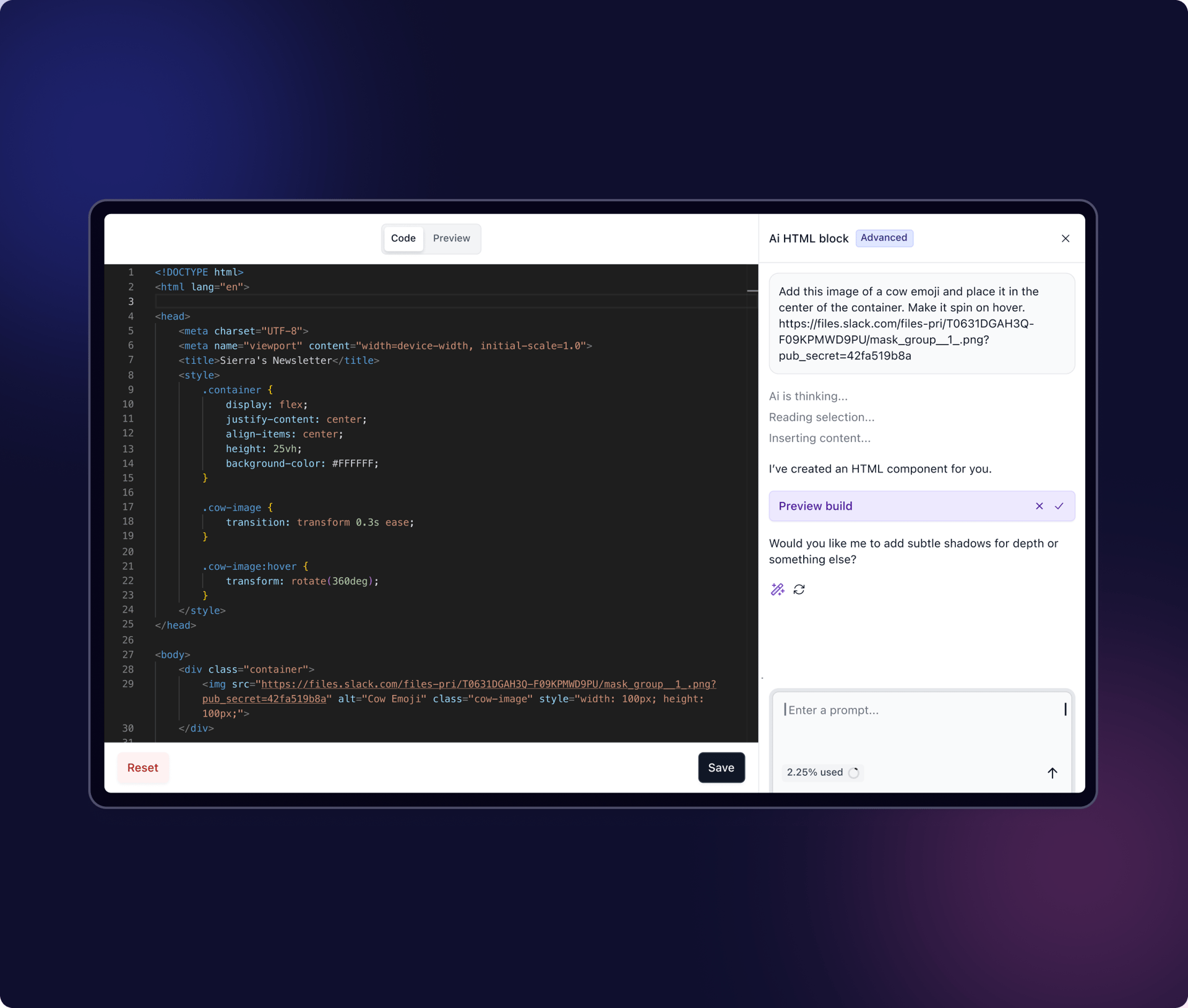
Sample prompts to use with beehiiv AI.
Each prompt works directly with beehiiv's newsletter AI blocks. Sample prompts you can customize and reuse:
"Write a weekly email newsletter sharing product announcements in a friendly tone."
"Create an engaging intro for a newsletter welcoming new subscribers."
"Generate a short summary section highlighting key updates."
"Rewrite this paragraph to sound more professional and concise."
"Create a closing CTA encouraging readers to share the newsletter."

“There's a lot of platforms rolling out useless AI features, and then there's beehiiv. It's effective, additive, and truly a game-changer.”
Peter Huang
Founder at The Neuron