- Home
- Posts
- How To Warm Up an Email Domain for Better Deliverability
How To Warm Up an Email Domain for Better Deliverability
Stop Landing in Spam Jail and Start Reaching the Inbox

Megan Smith
February 08, 2026

Sending a massive email blast from a brand-new domain is like trying to shout in a library — you’ll get shut down immediately.
The spam filters will shush you, sending your carefully crafted message straight to junk. Luckily, this is a fixable problem.
With the right process, you can warm up your email domain. This allows you to build trust with internet service providers from day one and significantly improve your deliverability.
For newsletter creators using beehiiv, much of this essential groundwork is automated, helping you reach the inbox with every send.
Here's how to warm up a new email domain and more about why it matters.
Table of Contents
Why Warming Up Your Email Domain Is Essential
Email deliverability is tougher than ever. It's a good news/bad news situation.
Both the good and the bad news is that internet services work hard to protect their users from spam and harmful content.
As a result, the average email delivery rate across providers is only 83.1%. That's why your sender reputation and email list hygiene matter so much.
No matter how good your intentions, when you send emails from a new address, mailbox providers don’t know you yet. That means your emails might end up in spam until you build a solid reputation through real, reciprocal interactions.
Mailbox services pay attention to everything: who opens your emails, who replies, and who flags you as spam. Every interaction counts.
It’s important to start small as you warm up domain emails.
How the Email Domain Warm-Up Process Works
The warm-up process should take about a month. Here's how to handle those first few critical weeks.
Step 1: Set Up SPF, DKIM, and DMARC Records
Before you send a single email, you need to establish your ID.
That is essentially what these three email security acronyms do for your email domain:
SPF (Sender Policy Framework): SPF tells mailbox providers which IP addresses are allowed to send emails on your behalf.
DKIM (DomainKeys Identified Mail): DKIM is a digital signature that proves that the message actually came from you and wasn't tampered with along the way.
DMARC (Domain-Based Message Authentication, Reporting, and Conformance): DMARC tells providers how to handle your messages and what to do if an email fails the first two tests.
The details get technical, but you don't really need to understand more than the above. (To be honest, I don't.)
Platforms like beehiiv guide you through this setup automatically, so you can verify your sending identity without the headache.
Use our free DMARC Report Analyzer to check your setup and spot issues before they impact deliverability.
Step 2: Start With Low Volume and Build Gradually
Once your identification is set, it's time to start sending, but resist the urge to email your entire list immediately.
In the first week, aim for about 10-20 emails per day. This low volume flies under the radar of spam filters while establishing a baseline of activity.
Over the next few weeks, you can slowly increase your volume. Maybe you go to 50 a day in week 2, then 100 a day in week 3.
The slow-and-steady approach shows providers that your growth is natural, not spammy.
Step 3: Engage With Replies and Opens
Sending emails is only half the battle. You need people to actually open them and reply. This engagement is gold for your reputation.
When you are just starting, send emails to people you know—friends, colleagues, or your mom. Ask them to reply to your message.
When you reply back, it creates a conversation thread. This back-and-forth signals to algorithms that you are a real human having real conversations, which trains the inbox to trust you.
Step 4: Monitor Your Domain Reputation Regularly
As you ramp up your sending volume, keep a close eye on how you are performing.
Tools like Google Postmaster Tools are great for seeing exactly how Gmail views your domain. You can also check your analytics directly in beehiiv to track open rates and bounce rates.
Consistency is key here. If you see your reputation dip, pull back on the volume for a few days. Staying vigilant ensures that you stay in the inbox where you belong.

Using beehiiv To Improve Deliverability Automatically
beehiiv takes the stress out of deliverability. Its platform handles the technical details behind the scenes.
Built-In Authentication and Infrastructure
Smart, automated systems and built-in integrations work tirelessly on your behalf.
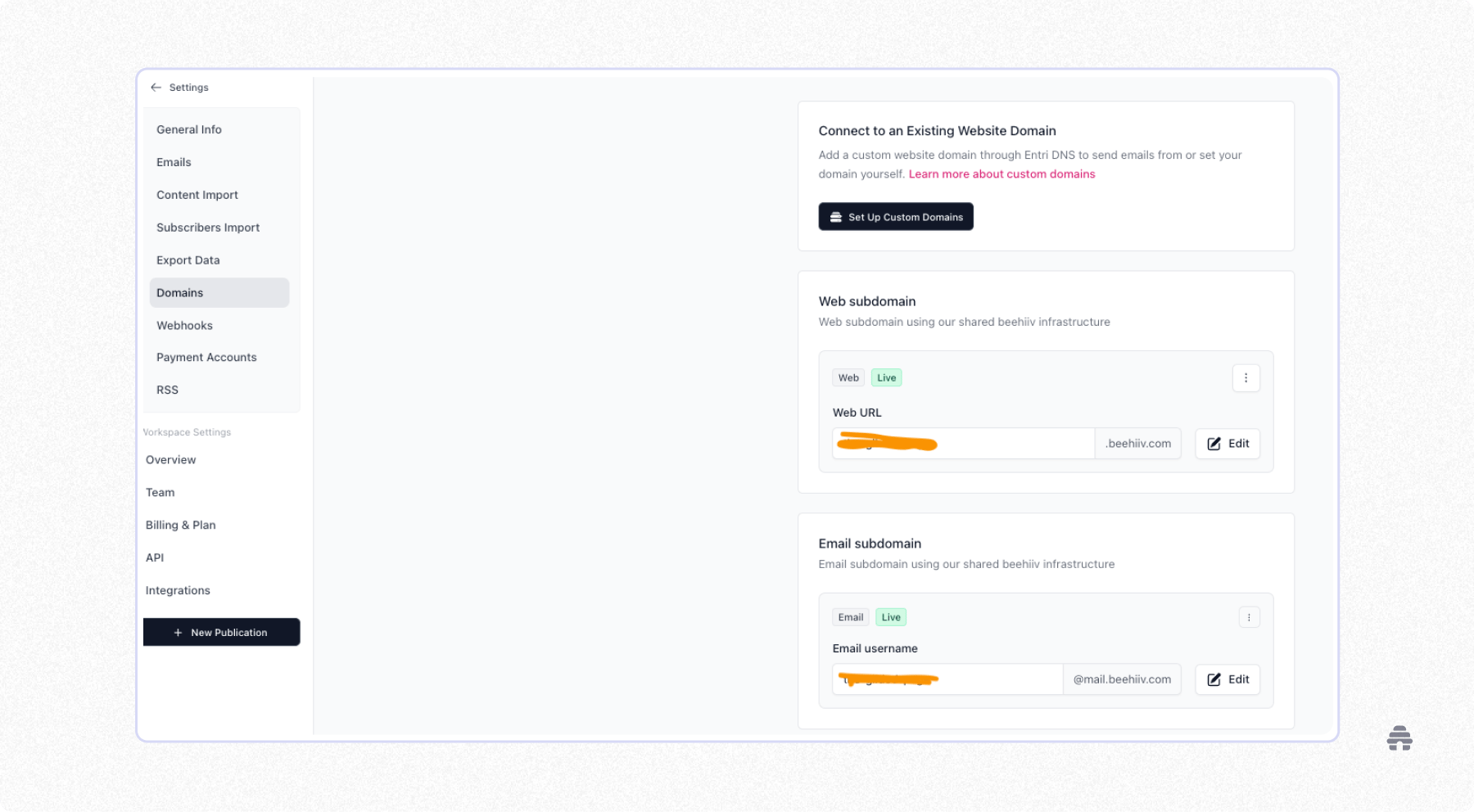
beehiiv automatically sets up SPF and DKIM for your account, so your emails are authenticated without any manual tinkering.
There's also no need to deal with confusing DNS records to prove you own your domain. A built-in verification process saves you time and polishes your reputation for inbox providers.
Optimized Sending Patterns and Deliverability Tracking
beehiiv’s sending engine paces your emails, automatically throttling your output as necessary. That's why a message scheduled for noon actually takes a couple of minutes rather than occurring in an instantaneous blast.

This mimics sender and reader activity, sending signals that you're responsible and your list is engaged. As a result, your domain reputation improves much faster.
The proof is in key email metrics. Detailed email reporting includes information about exactly how many of your emails reached your audience’s inbox, bounced, or were marked as spam.
You can proactively address potential issues before they snowball and make data-driven decisions to optimize future campaigns.
How beehiiv Protects Your Reputation as You Scale
Growth presents its own challenges. When your subscriber list jumps from a few hundred to tens of thousands, inbox providers notice.
beehiiv anticipates these changes and adjusts sending patterns automatically, smoothing out volume increases. This approach helps you scale your outreach without sudden drops in deliverability.
Mistakes To Avoid During the Warm-Up Phase
I’ve seen firsthand how one wrong move can send a promising campaign straight to the spam folder. Benefit from my pain. Avoid these common pitfalls, and you’ll save yourself a lot of future headaches.
Sending Too Much, Too Soon
One of the biggest blunders you can make is sending too much, too soon.

It’s tempting to blast your entire list at once, especially when you're excited about a new campaign, but patience pays off.
Pushing out thousands of emails from a cold domain will send you straight to the spam folder. Do not pass Go. Do not collect $200. Worse, it can get you blacklisted by internet service providers.
Using Purchased or Borrowed Lists
Another classic error is using purchased or borrowed email lists. It seems like a quick shortcut to a larger audience, but these lists are often full of inactive or fake addresses. More importantly, the people on them never asked to hear from you.
The practice leads to high bounce rates and spam complaints, which will tank your sender reputation. That makes it harder to contact the people who do want your emails.
Ignoring Engagement Metrics
If your open rates are low or your bounce rates are high, that's a clear signal to slow down and reassess your strategy. Pay attention to what the data is telling you.
It may be time to clear unengaged members of your list or to reevaluate your publication strategy and frequency.
Don't obsess over every number. Do act when you spy larger patterns.
My Personal Framework for Warming Up New Domains
Over the years, I've developed a simple plan to make sure I start on the right foot with mailbox providers.
First, I handle all the technical prep work, like setting up SPF and DKIM. This is non-negotiable and the first thing I do before sending any emails.
Next, I start my manual warm-up process with a small, engaged list of friendly contacts. I test my deliverability, encourage replies, and monitor my reputation closely for a few weeks.
Once I see consistently good metrics, I feel comfortable transitioning to a more automated sending schedule.
For creators who care about long-term email performance, beehiiv makes this whole process easier and more reliable from start to finish. Sign up for a free trial today.

Why Trust Me
I’m an established email marketer in the Minneapolis area and a consistent contributor to the beehiiv blog and other marketing websites. When it comes to the super-technical details of digital marketing, I’m a big fan of first knowing how much I actually need to know — and then moving forward from there.
FAQ
What is an example of an email domain?
An email domain is the part of an email address that comes after the "@" symbol. If your email address is [email protected], examplecompany.com is your email domain. It represents the specific organization or entity associated with the email account.
How much does an email domain cost?
A professional email domain linked to your website is key. The cost of a custom domain can vary, but you should expect to pay between $10 and $20 per year for a new domain name from a registrar like GoDaddy or Namecheap.
Note that some services bundle domain registration with web hosting, which will affect the overall price.
What does it mean to warm up an email domain?
Warming up a domain involves gradually increasing the volume of emails you send from a new domain. This shows internet service providers (ISPs) like Gmail and Outlook that you are a legitimate sender, not a spammer, which helps your emails land in the inbox.
How do you warm up an email address?
You warm up an email address by establishing your domain's technical credentials and then starting small.
Begin by sending only to a few highly engaged contacts — people you know will open and interact with your messages. This steady, controlled activity builds a positive reputation for your address.
How long does it take to warm up an email domain?
Fully warming up your domain email shouldn't take more than a month. The exact timeline depends on how consistently you send emails and how your recipients engage with them.
Related Articles