- Home
- Posts
- Why Your Emails Are Going to Gmail’s Promotions
Why Your Emails Are Going to Gmail’s Promotions
How Gmail Categorizes Emails and Why Promotions Is Not Always Spam

Kanishka
March 16, 2026

If your emails are landing in the Promotions tab, Gmail isn’t blocking you.
Promotions is not spam.
It’s Gmail doing exactly what it was designed to do: separating bulk and commercial emails from personal ones.
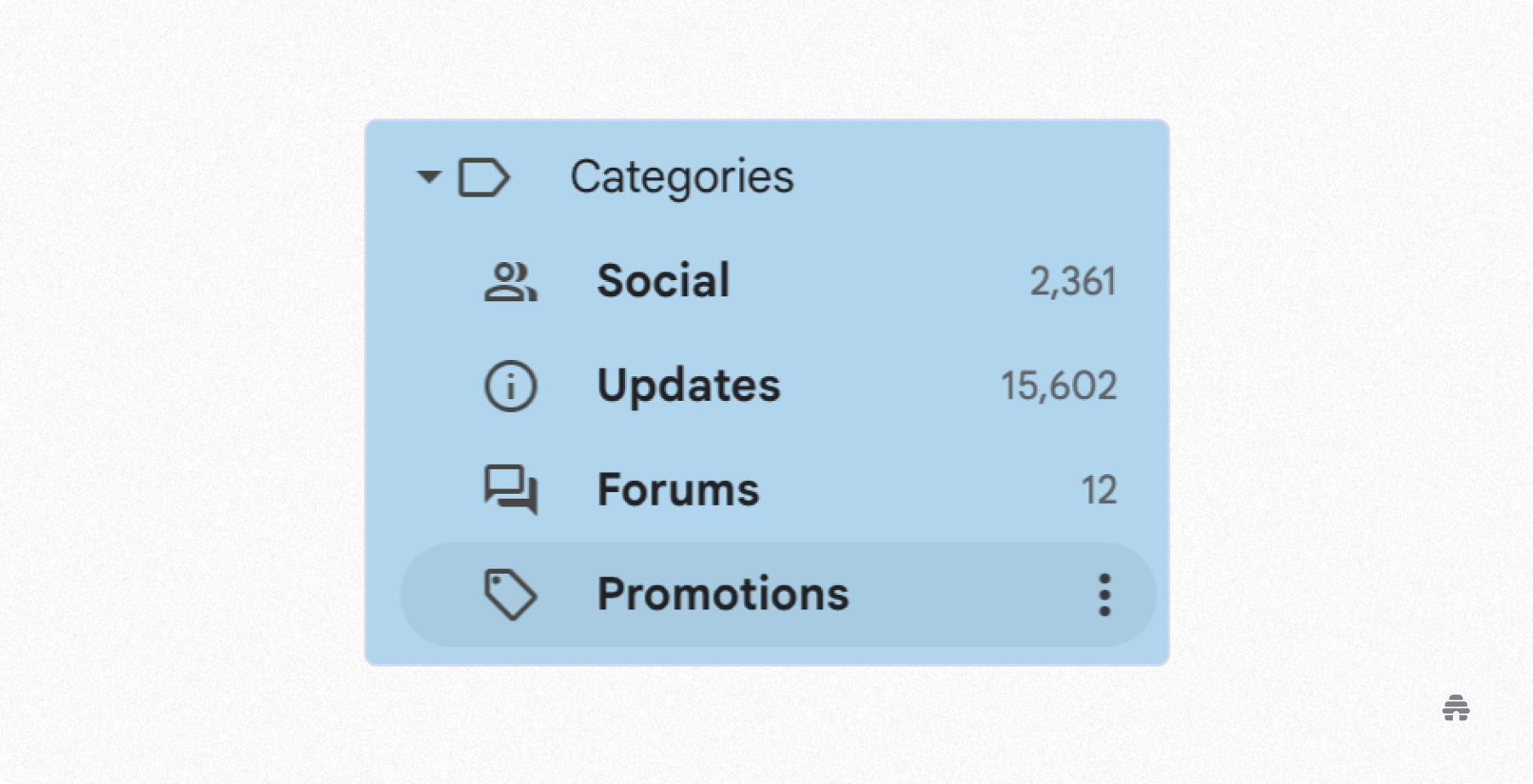
When an email shows up there, it means Gmail accepted it, delivered it, and made a classification decision, not a judgment call.
Most people misread that signal. They assume something is wrong when in reality, Gmail is just organizing the inbox the way it thinks users want it organized.
That distinction matters.
What the Promotions Tab Actually Is
Gmail sorts incoming mail into categories:
Primary
Promotions
Updates
Forums
Promotions exists to group emails that Gmail believes are marketing, newsletters, or announcements.
Emails in Promotions are fully delivered-they are just showing up in a different place.
Why Gmail Uses the Promotions Tab
Gmail’s goal is inbox organization, not punishment.
Many users receive dozens of commercial emails per day. Promotions allows Gmail to separate personal and transactional messages from bulk content.
This behavior is intentional and permanent. Promotions is not an error state.
Why Emails Are Classified as Promotions
Gmail looks at patterns, not intent.
Common signals include:
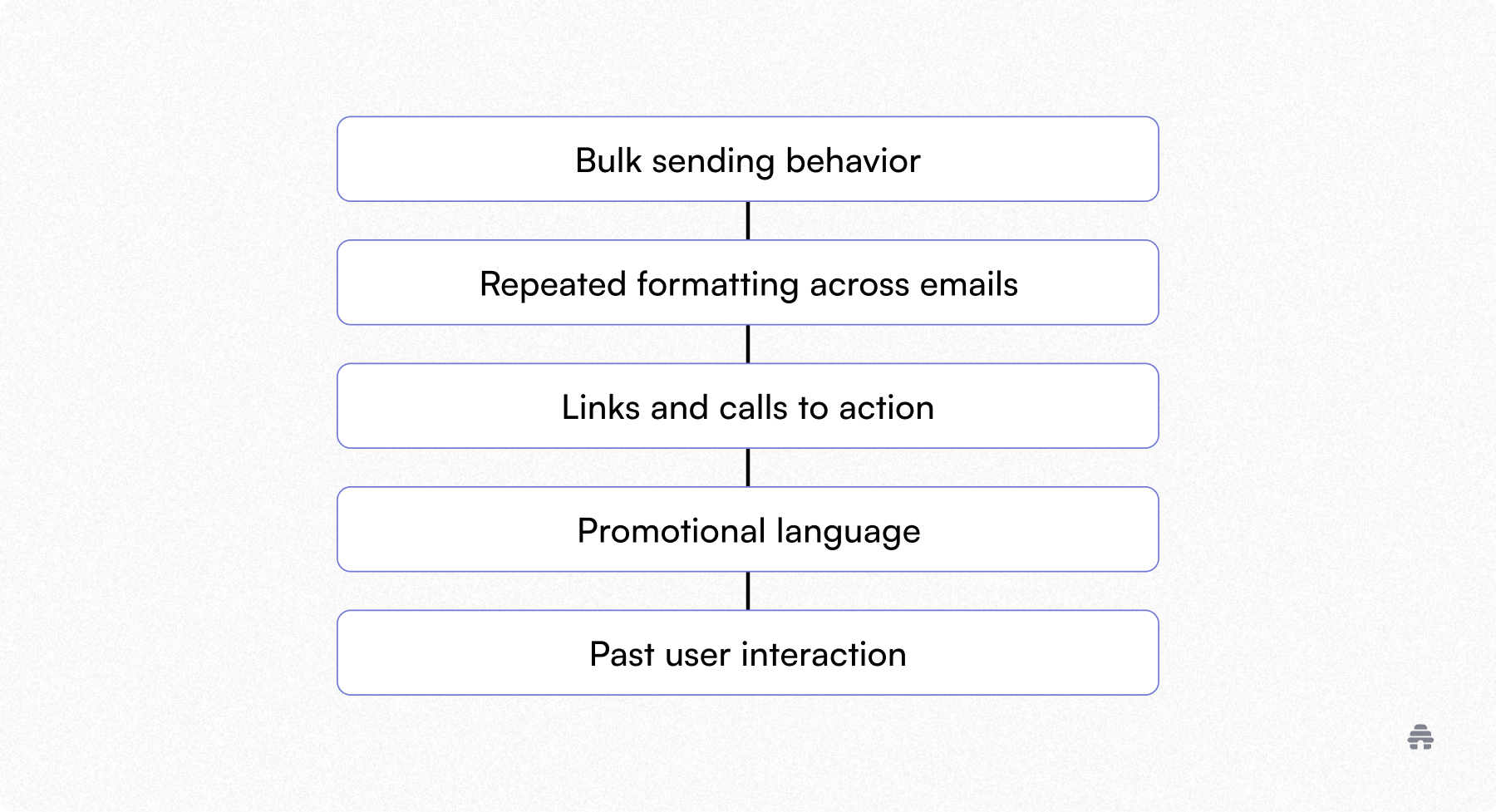
Even well-written, wanted emails can be classified as Promotions.
Why trust me: I’ve been strategizing content at beehiiv for over 3 years, with hands-on experience across email, the content economy, and audience-led growth.
Newsletters are:
Sent in bulk
Sent on a schedule
Similar in structure each time
Read passively by many users
Because of this, Gmail usually treats newsletters as promotional by default.
This does not mean the newsletter is low quality or unwanted.
Why Some Emails Reach Primary and Others Do Not
Gmail classification is personalized. Factors include:
Whether you open and read emails
Whether you reply
Whether you move emails between tabs
Whether the sender is in your contacts
Two users can receive the same email and see different placements.
Why Emails Move to Promotions Suddenly
Emails that used to land in Primary may move to Promotions when:
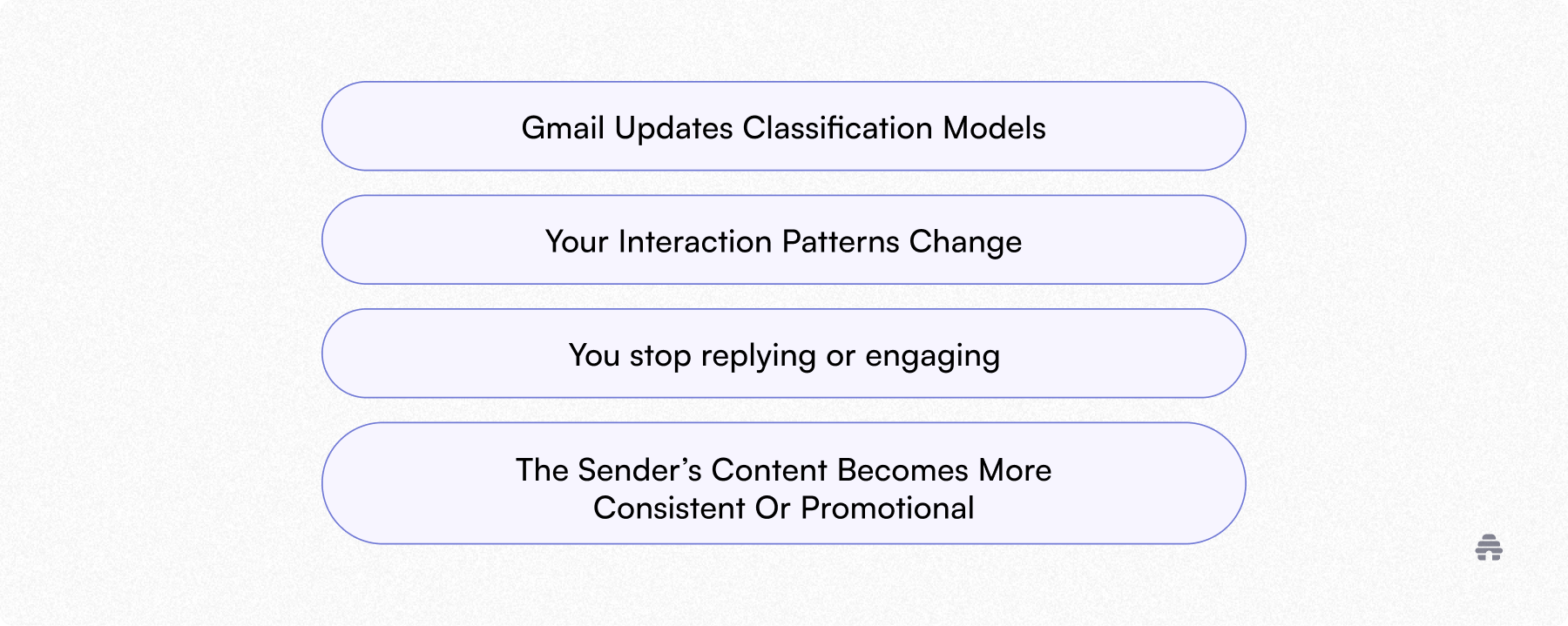
This shift is common and usually not reversible at scale.
What to Do If You Want Emails in Primary
If you are a reader and want emails in Primary:
Drag the email from Promotions to Primary
Confirm you want future emails from that sender in Primary
Add the sender to contacts
Reply to the email when appropriate
These actions signal preference to Gmail.
What Promotions Placement Does Not Mean
Emails going to Promotions do not mean:
The sender is spamming
The email is low quality
The email is being penalized
Delivery is failing
It means Gmail believes the email fits a commercial category.
Why Promotions Is Not the Same as Spam
Spam limits visibility and trust.Promotions does not.
Emails in Promotions are searchable, readable, and fully delivered.
Many users intentionally read Promotions as a separate inbox.
When Promotions Becomes a Problem
Promotions placement becomes an issue only if:
Emails are never opened
Users do not know where to find them
Engagement drops significantly
At that point, the issue is about reader behavior and expectations, not Gmail malfunction.
The Bottom Line
The Promotions tab is a sorting decision, not a failure.
If emails are going to Promotions, Gmail is saying they are commercial, not unwanted. Understanding that distinction prevents misdiagnosis.
Most newsletters live in Promotions. What matters is consistency, trust, and engagement over time.
beehiiv is built for publishers who understand how real inboxes work.
Related Articles



The one place to build.