Team Collaboration Tools
Write Together, Work Smarter
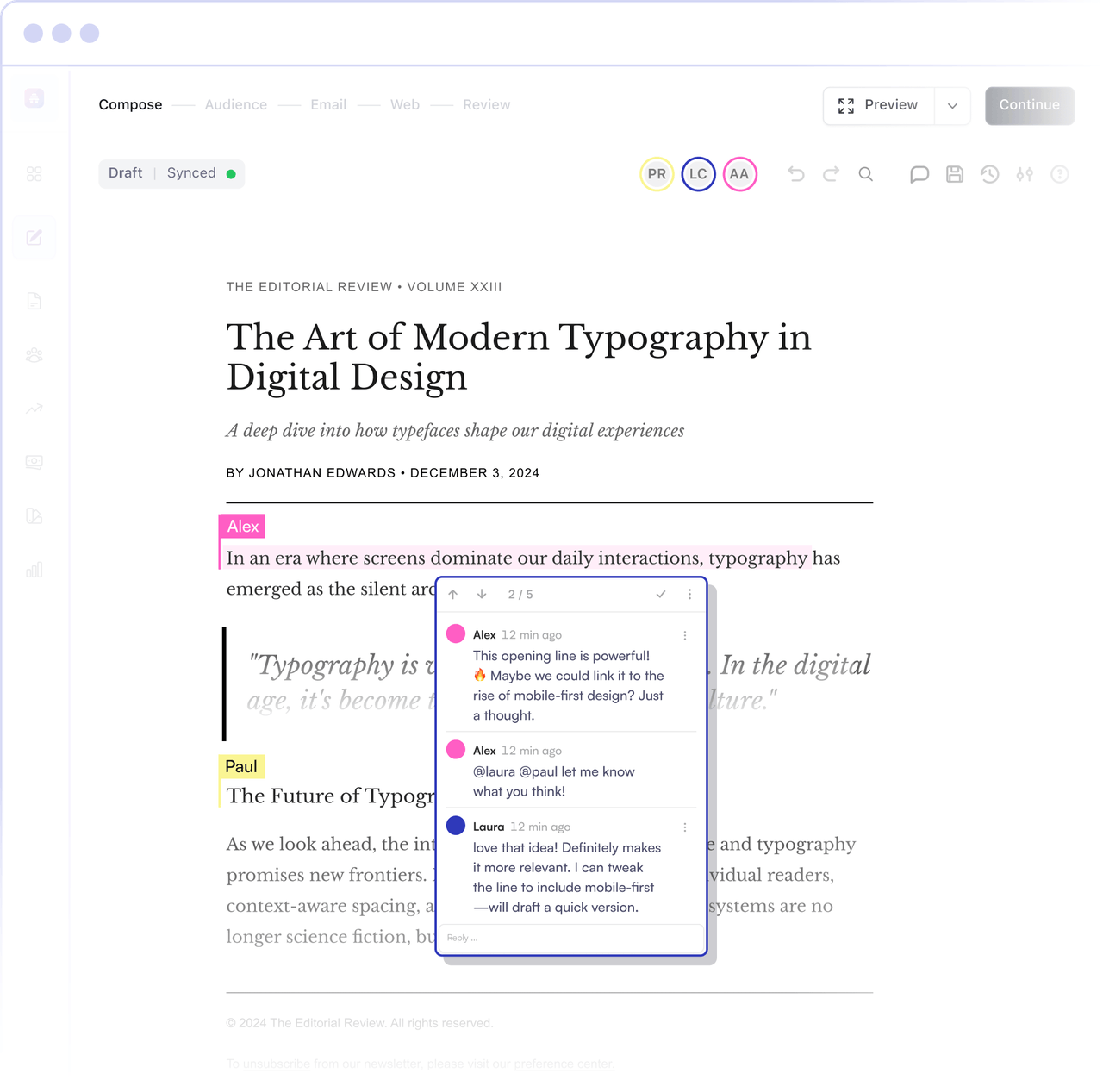
Real-time editing, taggable comments, and version history give your team everything it needs to collaborate effortlessly. All in a seamless, user-friendly interface.
Trusted by Top Media Teams
Built for Teams That Move Fast
Streamline your publishing workflow with collaboration features built for editors, creators, and employees on small teams or within large organizations.
Real-Time Editing
See your teammates’ edits instantly with real-time newsletter collaboration, avoiding version conflicts and speeding up internal communication.
Taggable Comments
Leave targeted comments, tag colleagues, and centralize feedback so your newsletter draft becomes a lightweight communication tool instead of a messy email thread.
Version History
Restore any previous version with a single click and compare changes, so you can roll back edits without losing valuable feedback.
Seamless Team Workflow
Plan, draft, and review in one place instead of juggling multiple tools, keeping engagement high across writers, editors, and stakeholders.
Enterprise-Grade Security
Your work stays protected with secure collaboration tools.
Frictionless Publishing
Go from first draft to final send within the same dashboard, so you can focus on content, not on managing tools.
Start Growing Your Business Today
Unlock the power of seamless collaboration for your team.
“Most of all, beehiiv is more conducive for teams. When you grow a newsletter, there’s a lot of people involved. So, probably how conducive it is for group work and for a lot of different contributors.”
Christian Blackwell
GRIT Capital
Experience the Future of Creative Collaboration
See every edit in real time, keep everyone aligned in a single dashboard, and remove friction from your review cycles.
See every edit in real time — no delays, no confusion.
Tag teammates in comments and collaborate like never before.
Revert to past versions anytime with automatic version history.
Collaboration Essentials for Newsletter Teams
Built into the drag-and-drop editor your team already loves
Work together inside the same drag-and-drop editor that combines writing, layout, and collaboration features, all in one interface.
Perfect for small teams and growing orgs
Whether you are a solo creator adding an editor or a growing team of employees, you use tools that scale with you rather than bolt-on workarounds.
From basics to advanced features
Start with essentials like shared drafts and comments, then layer on advanced features such as permissions, roles, and structured review flows as you grow.
Connect collaboration with engagement
Tight feedback loops around copy, CTAs, and exclusive content help teams ship newsletters that drive better engagement with every send.
How Collaboration Works on beehiiv
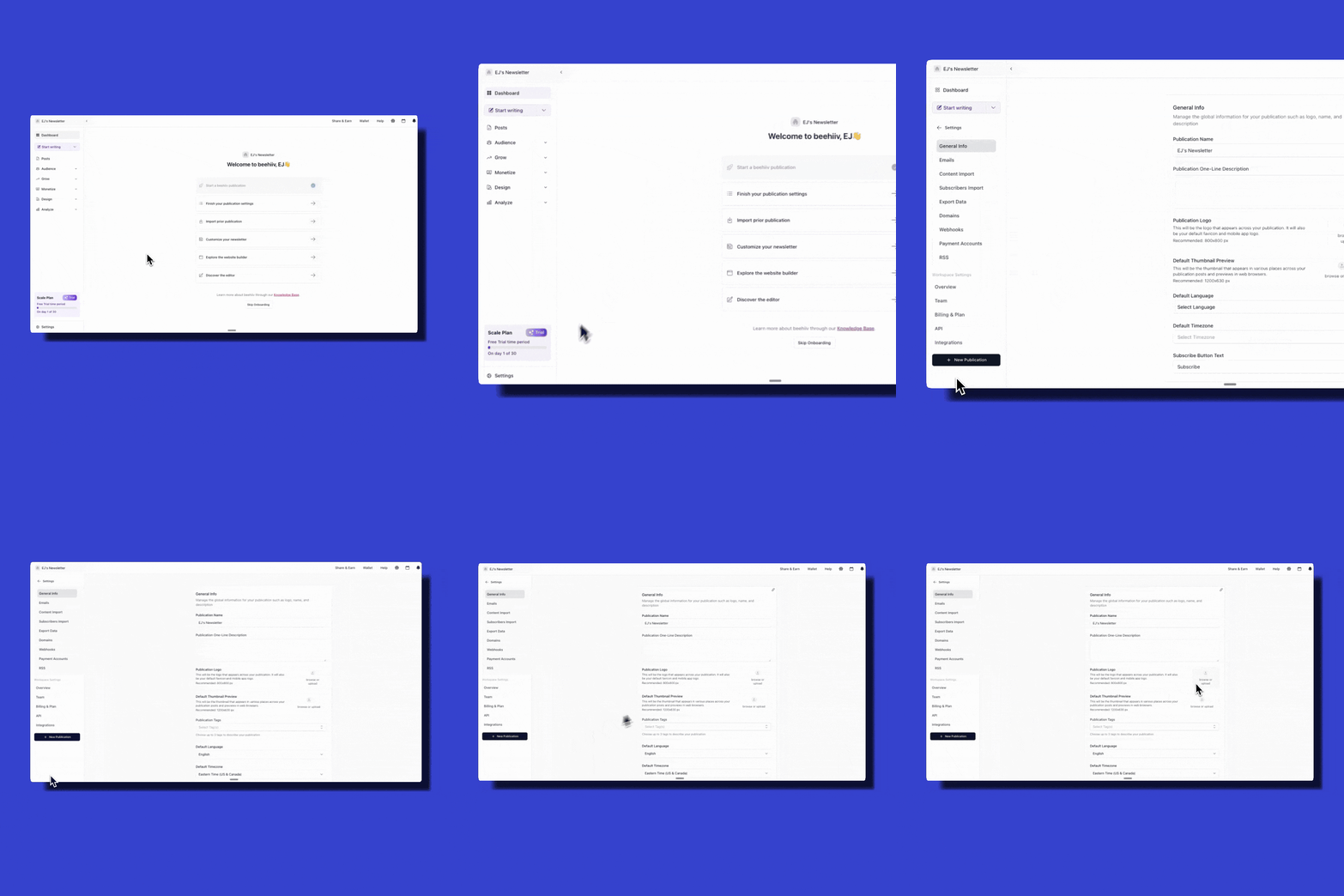
Writing together has never been easier. Here’s how you and your team can create, edit, and publish content seamlessly.
Built for Modern Communication
Use beehiiv as a single hub for both public newsletters and internal communication, and take advantage of its collaboration features, advanced feature set, and ease of use. It’s the best newsletter platform for modern teams.
Collaboration Essentials for Newsletter Teams
Built into the drag-and-drop editor your team already loves
Work together inside the same drag-and-drop editor that combines writing, layout, and collaboration features, all in one interface.
Perfect for small teams and growing orgs
Whether you are a solo creator adding an editor or a growing team of employees, you use tools that scale with you rather than bolt-on workarounds.
From basics to advanced features
Start with essentials like shared drafts and comments, then layer on advanced features such as permissions, roles, and structured review flows as you grow.
Connect collaboration with engagement
Tight feedback loops around copy, CTAs, and exclusive content help teams ship newsletters that drive better engagement with every send.
Create Together, Publish Faster
beehiiv’s collaboration tools keep your team in sync, so you can focus on content — not logistics.
Works With Your Existing Stack
Integrations where you need them
Connect beehiiv to your existing CRM and other platforms so collaboration stays close to your data, audience segments, and core reporting.
Simple automations for smoother workflows
Use simple automations and basic automations to route drafts for approval, notify reviewers, or kick off next steps once a post is scheduled.
Join the most robust newsletter platforms
beehiiv is the publishing platform designed for teams who care about powerful features and ease of use.
RESOURCES TO HELP YOU SUCCEED
Guides & Tutorials
Learn how to optimize your newsletter strategy.
Case Studies
See how others have grown their audience with beehiiv.
Webinars & Workshops
Stay ahead with expert insights.
Frequently Asked Questions
How does real-time editing work on beehiiv?
Real-time editing on beehiiv allows multiple users to collaborate on a document simultaneously. Each user's edits are visible instantly, ensuring that everyone is on the same page without any lag or conflicts.
Can I tag team members in comments?
Yes, beehiiv allows you to tag team members in comments. This feature enables instant collaboration by notifying the tagged individuals, ensuring they are aware of feedback or requests.
How does version history work?
Version history on beehiiv automatically saves each version of your document. You can easily revert to any previous version with just one click, ensuring that you can restore changes if needed.
Is my data secure when collaborating with my team?
Yes, beehiiv provides enterprise-grade security for all your collaborative work. This ensures that your data remains protected and secure throughout the collaboration process.
Can I publish content directly from beehiiv?
Yes, beehiiv allows you to finalize your edits and publish content directly from the platform. This streamlines your workflow by keeping all stages of content creation and publishing in one place.
How do I invite team members to collaborate on a document?
You can invite team members to collaborate by adding them to a post. Once added, they can edit, comment, and interact with the document in real-time.
Can I see who made changes to a document?
Yes, beehiiv's version history and real-time editing features allow you to see who made changes and when. This helps maintain transparency and accountability within your team.
Is there a limit to the number of collaborators I can have on a document?
The number of collaborators you can have on a document depends on your subscription plan. Generally, beehiiv supports multiple users collaborating on a single document, but specific limits may apply based on your plan.
How do I manage different versions of a document?
You can manage different versions of a document using beehiiv's version history feature. This allows you to view, compare, and revert to previous versions as needed.
Can I use beehiiv for both internal and external collaboration?
Yes, beehiiv can be used for both internal and external collaboration. However, external collaboration may require specific settings or permissions to ensure that only authorized individuals can access your content.