Social Integration, Sharing & Embeds

Sharing on Social Media, Simplified

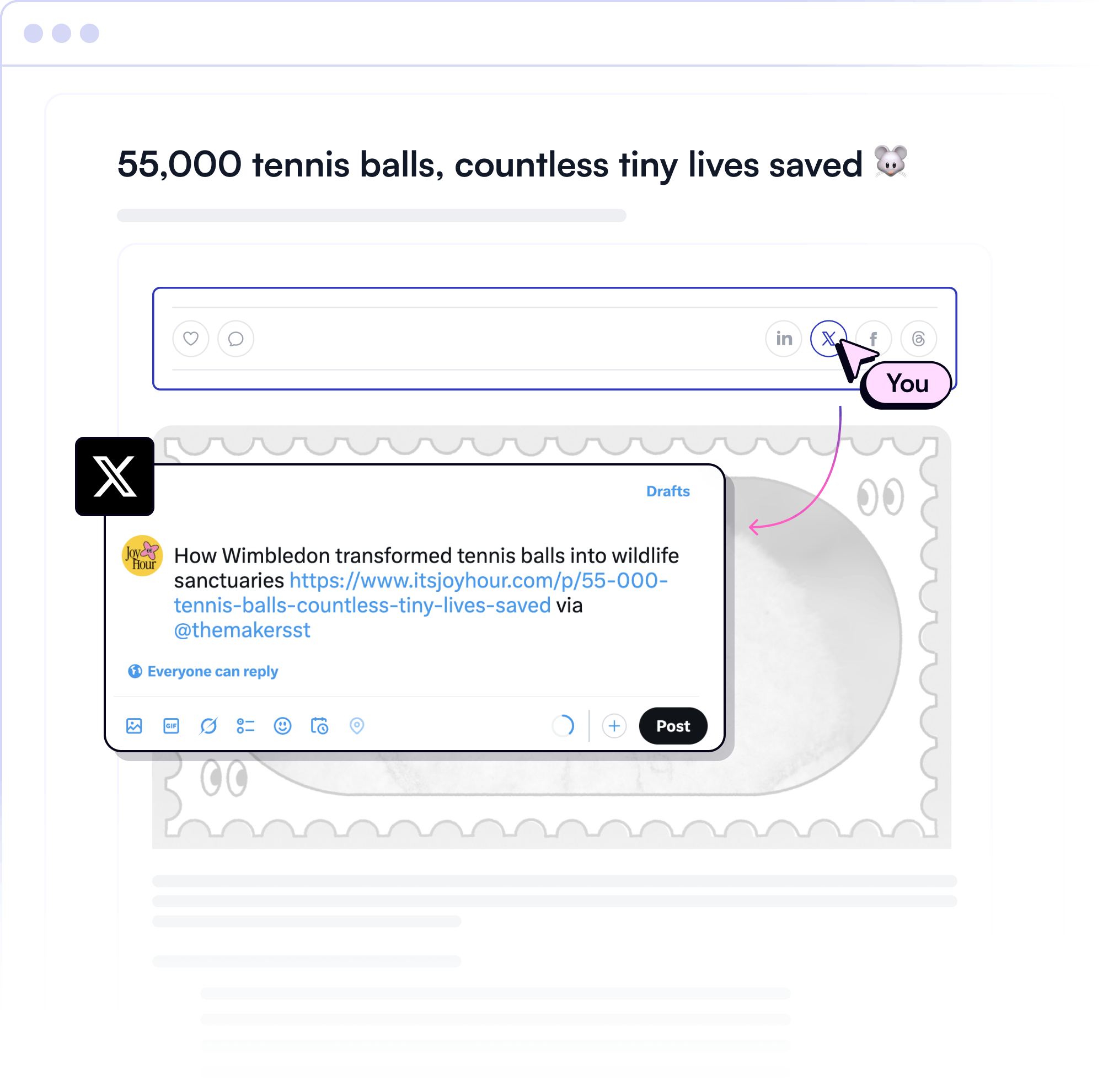
Make it easy for your subscribers to share, follow, and engage. With beehiiv’s social integrations, your content spreads beyond the inbox and across top social networks.
Powering the World's Top Media Brands

Arnold Pump Logo
Awa Logo
BGM Logo
Blockworks Logo
Brex Logo
Clickhole Logo
CRE Logo
Cult of Mac Logo
Daily Drop Logo
Exec Sum Logo
Fantasy Life Logo
Friday Beers Logo
Futurepedia Logo
Milkroad Logo
Mindstream Logo
Miss Excel Logo
Overtime Logo
Rap TV Logo
Resume Worded Logo
Texas Tribune Logo
The Ringer Logo
What Do You Meme Logo
Arnold Pump Logo
Awa Logo
BGM Logo
Blockworks Logo
Brex Logo
Clickhole Logo
CRE Logo
Cult of Mac Logo
Daily Drop Logo
Exec Sum Logo
Fantasy Life Logo
Friday Beers Logo
Futurepedia Logo
Milkroad Logo
Mindstream Logo
Miss Excel Logo
Overtime Logo
Rap TV Logo
Resume Worded Logo
Texas Tribune Logo
The Ringer Logo
What Do You Meme Logo

Take Your Content Further

With beehiiv’s social sharing features, your content can be discovered outside the inbox, wherever your audience is.

One-Click Social Sharing

Let your audience share your content across X, Facebook, LinkedIn, and more with the click of a button.

Embed Social Posts

Easily embed posts from X, Instagram, YouTube, and BlueSky to enrich your content.

Drive Followers and Engagement

Embed your social profiles so readers can follow you, growing your audience across platforms.

Increase Traffic and Visibility

Turn every newsletter into a marketing asset that can reach new audiences on social.

Customizable Social Links

Match your social icons and links to your brand aesthetic for a seamless experience.

Track and Optimize Performance

Monitor which social platforms drive the most engagement and optimize your strategy.

Start Growing Your Business Today

Enable social sharing, embed posts, and build your audience with beehiiv.

Get Started Today
Inverse Cramer

What was really huge was embedding the tweets within the newsletter. That saved me so much time… I could just go through my Twitter and embed them all into the newsletter so easily. Embedding the tweets was really helpful and saved me a bunch of time. The embedding was huge to get me going really fast.

Inverse Cramer

Inverse Cramer @InverseCramer

How to Integrate Social Sharing in beehiiv

Enhance your newsletter’s reach with easy-to-use social sharing tools.

Get Started Now

Your Voice, Amplified

Expand your audience beyond the inbox with social sharing integrations that work seamlessly.

All the Most Popular Channels, All in One Place

beehiiv makes sharing newsletter content frictionless with integrations to every major platform. Add share buttons for X, Facebook, LinkedIn, and more.

Easily share

Lightweight, fast-loading buttons that won’t slow down your email

Customize layouts

Flexible placement options for headers, footers, and inline content

Share with everyone

Share-friendly formatting that turns each post into a compelling preview

Mobile friendly

Optimized for mobile, ensuring readers can share content anywhere

Media focused

Perfect for publishers, creators, and marketers who count on social visibility and reach

Start Growing Your Business Today

Learn More

RESOURCES TO HELP YOU SUCCEED

Guides & Tutorials

Learn how to optimize your newsletter strategy.

Learn more

Case Studies

See how others have grown their audience with beehiiv.

Learn more

Webinars & Workshops

Stay ahead with expert insights.

Learn more

Frequently Asked Questions

What is social sharing in beehiiv?

Social sharing in beehiiv allows your subscribers to share your newsletter content on platforms like X (formerly Twitter), Facebook, LinkedIn, and more with just one click.

How do I enable social sharing for my newsletter?

You can enable social sharing by toggling the "Social Sharing" option in your beehiiv dashboard. This adds share buttons to your newsletters, making it easy for readers to share your content.

Can I embed social media posts into my newsletters?

Yes! beehiiv supports embedding posts from platforms like X, Instagram, YouTube, and BlueSky directly into your newsletters.

How do I embed a social media post in a newsletter?

To embed a post, simply hit “/” in the post editor and choose one of our social embed options. Your post will display seamlessly within your content.

Can I add links to my social media profiles in my newsletters?

Absolutely! You can add clickable social media icons or text links that direct readers to your profiles on platforms like Instagram, Facebook, and LinkedIn.

How does beehiiv help me track social engagement?

beehiiv provides analytics to monitor how often your content is shared on social platforms and which platforms drive the most referral traffic.

Can I customize the appearance of social sharing buttons?

Yes, beehiiv allows you to match the design of social sharing buttons and icons to your brand’s aesthetic for a cohesive look.

What are the benefits of enabling social sharing for my newsletter?

Enabling social sharing helps amplify your reach by turning your subscribers into advocates who can share your content with their networks. It also drives traffic and increases your brand's visibility.

Does beehiiv support multiple social media platforms for sharing?

Yes, beehiiv supports a variety of platforms, including X, Facebook, LinkedIn, and more, for both sharing and embedding posts.

How does embedding social posts benefit my newsletter?

Embedding posts enriches your content by showcasing live updates or engaging visuals from your social media accounts. It also saves time by repurposing existing content directly into your newsletter.

Can I measure the impact of embedded posts on engagement?

While embedded posts themselves don’t have direct analytics within beehiiv, you can track overall engagement metrics like clicks and referral traffic through the platform’s analytics dashboard.

Is there an additional cost for using these social features in beehiiv?

No, these features are included in beehiiv’s platform at no extra cost.

Can I automatically convert newsletter content into social media posts?

beehiiv makes sharing newsletter content simple with social media sharing buttons your audience can use instantly. Auto-generated social posts are available as a benefit on our Max plan.

Does social sharing help grow my newsletter list?

Yes. When readers share your newsletter on social media, it increases visibility and drives new audiences to your signup page - helping grow your newsletter list organically.

Make Your Content Go Viral

Get Started Now
the one place to build