- Home
- Posts
- Cleaning Contacts? Try a Cleaner Way With beehiiv
Cleaning Contacts? Try a Cleaner Way With beehiiv
How beehiiv Bulk Deletes Contacts, Manages Subscribers, and Keeps Your Email List Healthy

Iwona Abraham
December 21, 2025
You know what a messy email list reminds me of? The inevitable junk drawer in every house. Cleaning it is just as daunting and discouraging as looking at all the random things you’ve thrown into the junk drawer with the promise that you’ll “deal with it later.”
When I was using Mailchimp, I was resigned to having an email contact list that would just be my junk drawer. That doesn’t mean my intentions weren’t good, but there were so many steps, confusing subscriber statuses, and… what if I delete the wrong people?
Then, I found beehiiv and realized that cleaning up a contact list is something that requires ongoing maintenance, but it doesn’t need to feel like a chore.
The masterminds behind beehiiv are newsletter creators themselves, so they understand the importance of maintaining a clean contact list. They’ve transformed a notoriously complex process into something manageable and, dare I say, effortless.
If you love writing newsletters but dread the contacts clean up, this guide will walk you through how beehiiv keeps your list lean, accurate, and engaged.
What Does Cleaning Contacts in Mailchimp Actually Mean?
Organization is a huge part of cleaning, and having categories is very helpful with this.
Mailchimp tries to have different subscriber statuses, so you know how to categorize a subscriber:
Cleaned Contact: email address that has repeatedly bounced and is not receiving your emails
Unsubscribed Contact: former subscriber who voluntarily opted out of your email list
Inactive Contact: valid email address, but they haven’t engaged recently
Non-Subscribed Contact: one that never opted in but was added for other purposes
So it seems that everyone has a place, but, unfortunately, a cleaned contact can get stuck in limbo. They are still part of your audience list and could even affect your billing, but they aren’t interacting with your campaigns.
Sound familiar? It’s like leaving items in your junk drawer because you don’t know when you might need them in the future.
The Problem With Inactive Contacts
Since these contacts are inactive, why should you deal with them? Because they not only clutter your email list, but also hurt your email performance.
Inactive contacts are still communicating in their lack of communication, and what they’re telling inbox providers is that your emails are unwanted. This can result in your emails being filtered to land in spam folders.
Having these inactive subscribers will also skew your engagement metrics and make your open and click rates look worse than reality.
As tempting as it is, don’t keep contacts around simply because of the hope that they might one day engage with you.
How Mailchimp Defines “Cleaned” Status
It’s important for your definition of “cleaned” to match how your platform defines it.

Mailchimp automatically categorizes a contact as “cleaned” after multiple delivery failures -- whether that’s hard bounces, multiple soft, temporary bounces, or blocked inboxes.
If you’ve ever had trouble trying to remove cleaned contacts in bulk in Mailchimp, it’s because they remain in your audience until you go in there to manually archive or delete them.
So “cleaned” doesn’t actually mean cleaned because it’s not gone. Cleaned contacts are still listed.
Why beehiiv Makes Subscriber Management Simpler
Are you confused why subscriber management isn’t simpler? Why should you have to guess if your cleaned contacts are still affecting your billing or segmentation?
beehiiv is with you on that one. Instead of having multiple statuses and manual cleanup, beehiiv centralizes everything into a modern dashboard with the following features:

Do you see the clean, organized compartments of the junk drawer?
Why Trust Me?
I’ve been an editor with beehiiv and started writing for them because I love their content. I’m a technical writer who pivoted to B2B and D2C articles because of my knowledge of SEO strategies and optimization.
View Engagement Levels at a Glance
Let’s briefly glance at beehiiv’s engagement statuses, and a glance is all that is needed because they’re pretty straightforward:
Active: subscribers who open, click, and engage regularly
Inactive: subscribers who haven’t engaged recently
Paused: subscribers who are temporarily not receiving emails
Segment and Delete in Bulk Without Hassle
No more CSV exports. No more workflows with multiple steps.
Forget about trying to delete contacts from Mailchimp in bulk or removing cleaned contacts.
beehiiv prioritizes efficiency, and that means bulk-action tools!
We can boil it down to three steps:
Create a segment -- subscriber hasn’t opened an email in the past 90 days
Review the segment
Apply the bulk action of your choice -- delete, pause, or tag
Automate Re-Engagement and Cleanup
While we’re at it, let’s also boil down beehiiv’s automated workflows into three steps:
Identify inactive subscribers
Trigger a re-engagement email sequence
Automatically remove contacts who don’t engage

This automation frees your eyeballs from constantly monitoring your contact list. Unlike Mailchimp, you don’t need complicated integrations or exports to automate your re-engagement and cleanup.
How To Manage Subscribers Effectively in beehiiv
Here’s a quick workflow in beehiiv for you to save for reference:
Go to Audience → Subscribers
This gives you a snapshot of your subscribers’ segmentation, engagement status, and history.
Organize with Subscriber Tags
You can tag leads based on acquisition source, subscriber types, custom categories, source, and so on. This helps you send targeted emails.

Segment by Engagement Status
You create your own definitions of “active” and “inactive” and can even segment paid vs. free subscribers.
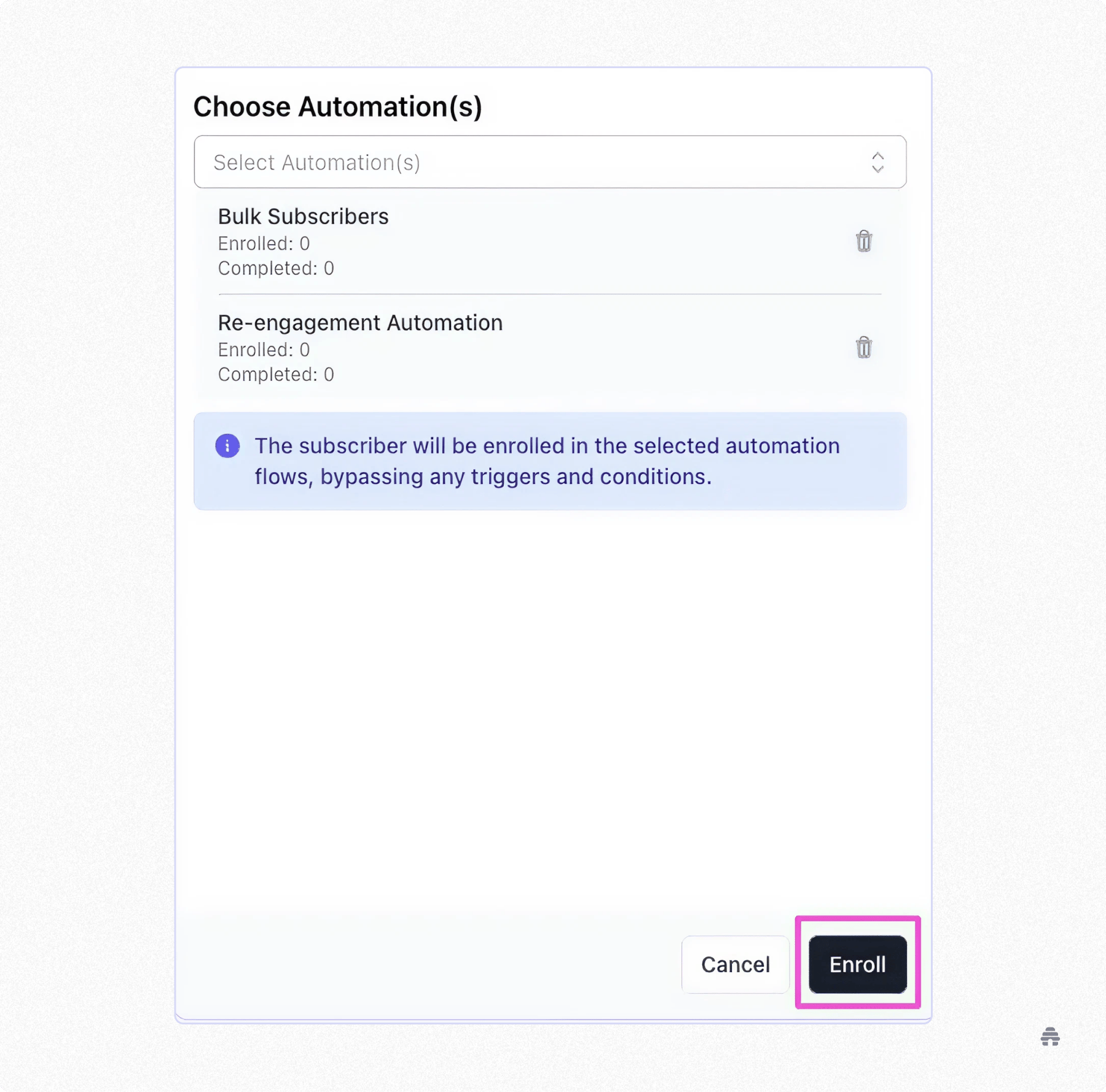
Bulk-Action Tools
Delete, pause, or apply tags to subscribers all in one efficient click.
Review Subscriber Profiles
Check out their stats of open rates, click-through rates, and other analytics.
How I Think About Maintaining a Healthy Email List
I used to hold onto everyone who subscribed because I thought, “Even if they aren’t engaged now… what if they came back?”
I always saw the possibility of re-engagement, even if it had been three months since the subscriber had opened an email. And hear me out, while there is the chance of a subscriber becoming active again, holding out too much hope made my email list bloated.
And being hopeful doesn’t make a bloated list any less bloated.
Don’t get me wrong, I treasured every subscriber and the level of engagement they gave me, but I wanted to work with a platform that didn’t just look for future engagement. I wanted to work with one that was aware of my present reality.
As a creator, beehiiv made cleaning and maintaining my email list intuitive and straightforward.
Don’t be fooled by a large email list, bloated with inactive subscribers—engagement over vanity metrics. Keeping your list healthy doesn’t mean holding onto everyone. Instead, it’s about nurturing and deepening engagement with people who actually want to hear from you.
And with beehiiv, you get a gentle reality check that is truly healthy for you and your active subscribers.

Related Articles



The one place to build.
Get beehiiv updates delivered directly to your inbox.
By subscribing you agree to our Privacy Policy and provide consent to receive updates from our company.